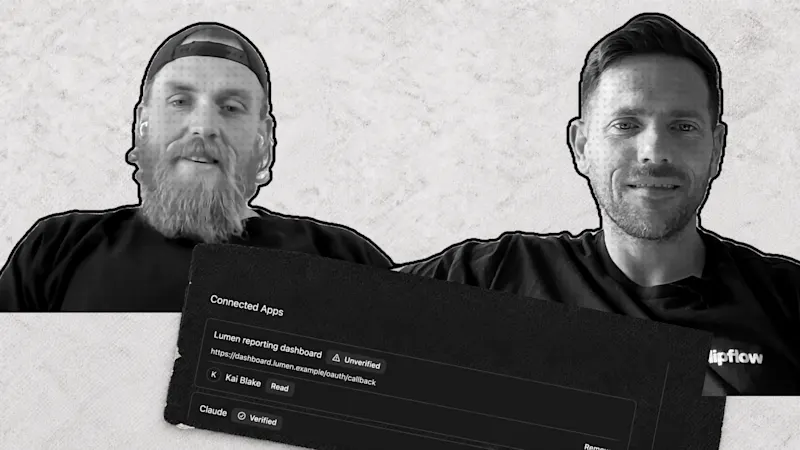
Anyone can ask an assistant to build a version of your service this afternoon. If a customer could do that, why would they keep paying you? We spent this week's episode on that question, because it applies to us as much as to any business owner.
Progress update from 13 November 2026. Feature availability reflects that date.
TL;DR
Clipflow updates
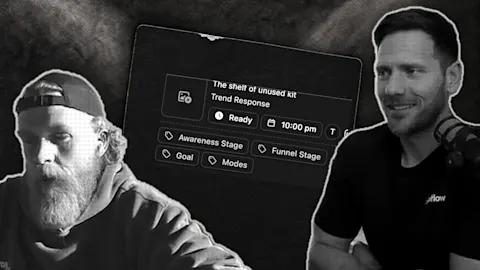
- Assistants and automations can turn written instructions into a finished carousel design (7 November). Clipflow picks a template, writes copy to fit each slide, fills images from your library and lets you know when it is ready to review. Nothing is posted until someone approves it. We showed an early version last week on a development copy.
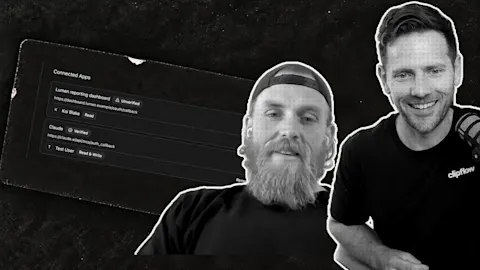
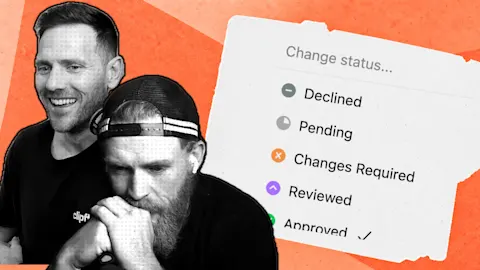
- You choose what each connected assistant can do (10 November). On 11 November an admin gained the option to let an assistant change a post's status, including marking it ready so it publishes on schedule. It is off by default and set for each assistant under Organization settings, then API & Connected Apps.
- Assistants can update a media file's status, type or title, and list your pages across every connected organization (11 November). The connection address now has a copy button on the Connected Apps screen.
Putting it to work
- Name what customers pay you for: list the parts an assistant can't copy, such as your judgement, your relationships and your own photos.
- Split the work in two: use a fixed process when the result must be identical, and an assistant when a fresh angle helps.
- Be useful enough to stay: the products people keep paying for are the ones that sit in the middle of how they already work.
Ask what you're actually selling
Letting an assistant into your systems takes an afternoon. Working out what customers pay for afterwards takes longer. For a software company the answer has to be more than the buttons. For a plumber, a coach or a local agency it is your judgement, your reliability and the fact that you turn up. Say that to yourself before a tool says it for you.
Stay useful enough that people don't move
A tool being written off doesn't stop people paying for it. We still pay for Figma, even though we use it far less than we used to. One of us went from long days in it to about an hour. Most of the time now goes into asking Claude to explain how the app works and make a first version. The finishing touches happen in Figma, then the result goes back to Claude to build.
Adobe holds its place the same way. We still reach for its PDF tools to sign a document or check one before printing, and for Lightroom when we edit photos in bulk. We haven't found others that do the same job.
Customers rarely leave a supplier that sits in the middle of their routine and keeps working, even when a newer option is easier to explain.
Do the hard part that people skip
A newsletter tool built over a weekend can send an email. Getting that email into the inbox is a different job. Beehiiv recently put a page up about Hex, its own email sending infrastructure. It says 99.1% of emails are accepted by inbox providers and that it can send up to 3.7 million a minute. Those are its own figures and we haven't tested them.
We aren't sure what changed for customers, since existing publications move over in stages and nothing needs to be switched on. The point we took is a good one for your own marketing. When you choose a tool, ask what is hard to copy behind the button. When you describe your own service, say that part out loud.
Decide what the assistant does and what stays put
We started with read-only access because it was the safest way to test security. Read-only on its own is not very useful, and we always saw it as a stepping stone. It has changed quickly: connected assistants can now draft, schedule and share posts for review, and an admin can let a chosen assistant mark a post ready.
A fixed process is still the right tool when a result must come out the same every time. An assistant is the right tool when a fresh take helps, and content is often that case. Ask it for the same thing five times and you get five different ideas.
We like the idea that the app becomes the place you read what is going on, while assistants do the changing. We also keep using an existing tool for our own product analytics and wouldn't ask an assistant to build one. Handling your media is the part we think Clipflow should do well.
Keep going
When someone tells you they built your product in a weekend, the useful reply is that you have been working on yours for three years. Anyone can copy a feature. Fewer people stay with one thing long enough to know it deeply.
Stay with one specific problem, keep improving how you solve it, and keep making content from what you actually do and know. We would rather work from real photos and real conversations than generate filler.
A small test for this week
Write down the last ten things a customer paid you for. Next to each, mark whether an assistant could do it as well as you could. Then write what you would say if a customer asked why they shouldn't do it themselves.
The items you can't mark are your answer. Put one of them into a post this week, in your own words.
Smaller shipping notes
You can select several files in the File Library and download or delete them together (11 November). Before anything is deleted, Clipflow names the posts and designs the files are used in.
Analytics lets you save your filters and date range as a view and set one as your default (7 November).
Designs now support blend modes, rotation and gradient masks (12 November). Templates and assistants can use them, and the editor doesn't have controls for them yet.
This week: we also talked about two reports we couldn't confirm. One said Adobe is letting people connect Claude to Photoshop and Premiere Pro. The other said Anthropic is shutting down Claude Design. We haven't repeated any details here.
Subscribe to the Clipflow YouTube channel for more updates here.
Follow Ken on Instagram here.
Follow Darrell on Instagram here.