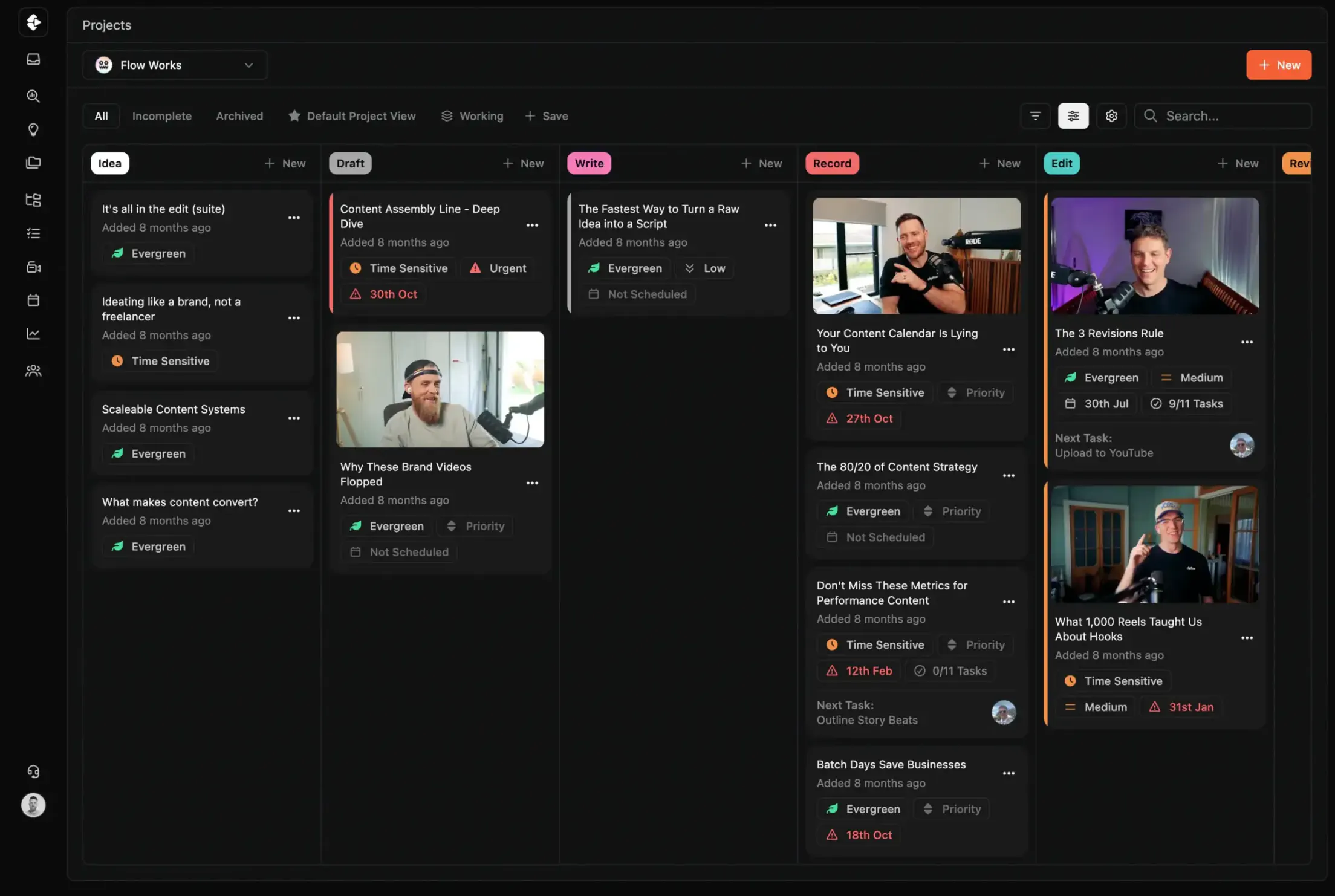
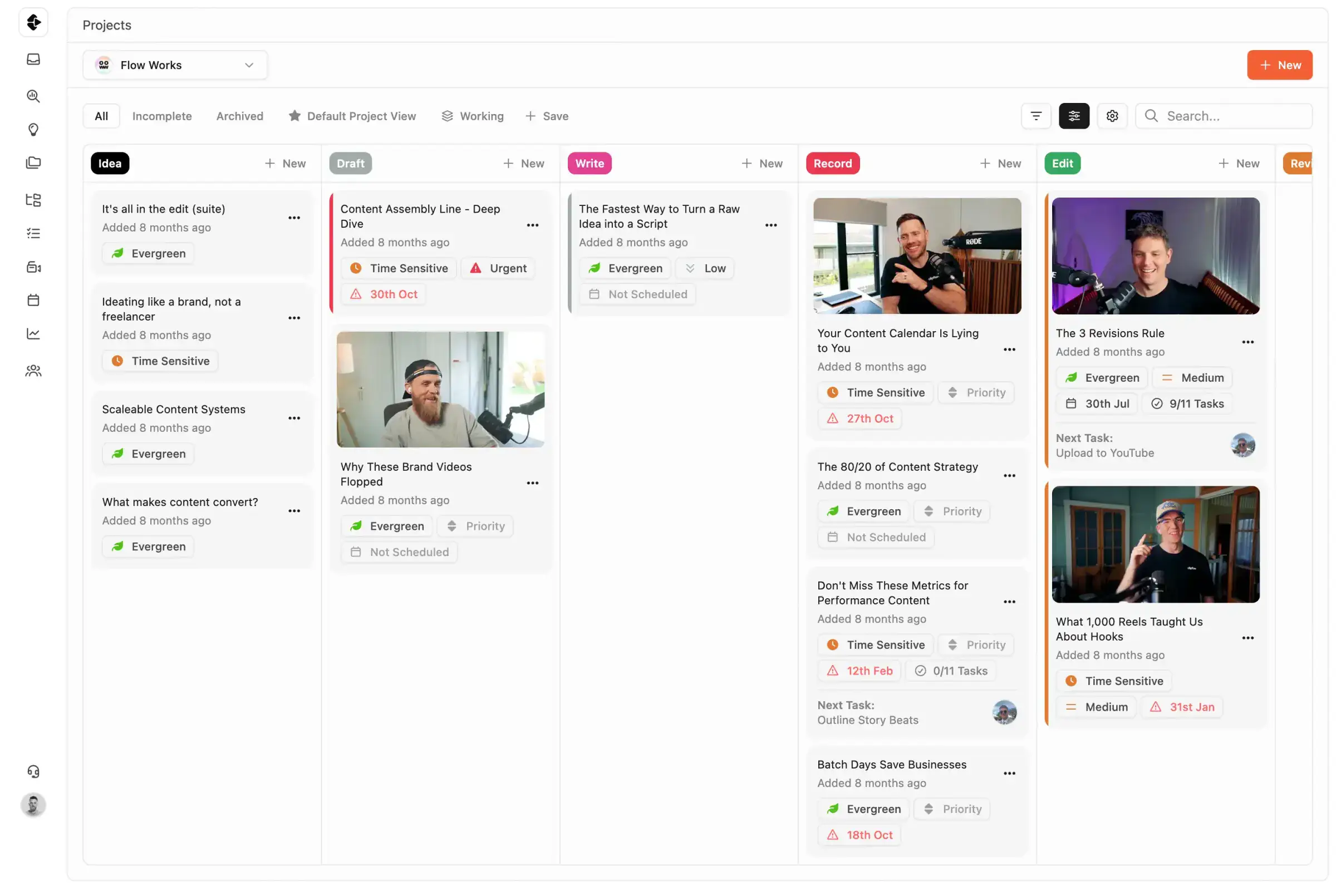
Best Notion Alternative for Content Teams
Notion is an exceptional knowledge base. It is not a project management tool. If you're managing real content production (deadlines, approvals, revision cycles, multi-person workflows), here's what that difference costs you.
Notion is a powerful wiki and documentation tool, but it was never designed as a content production platform. A side-by-side comparison covering task execution, review workflows, deadline enforcement, and why a docs-first tool fails content teams at scale.









Join 4,000+ Businesses Today
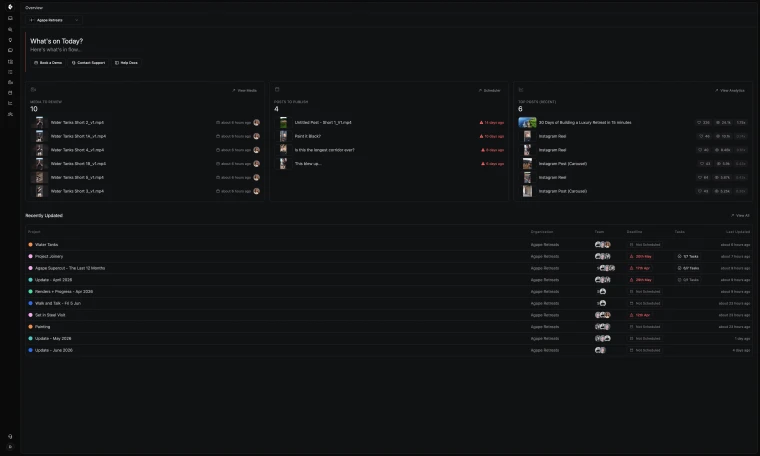
High-Output Media Businesses Trust Clipflow









Is Clipflow actually a good alternative to Notion?
Choose Clipflow when accountability and delivery speed matter most. Choose Notion when your primary need is documentation, not production operations.
Notion vs Clipflow: What should you choose?
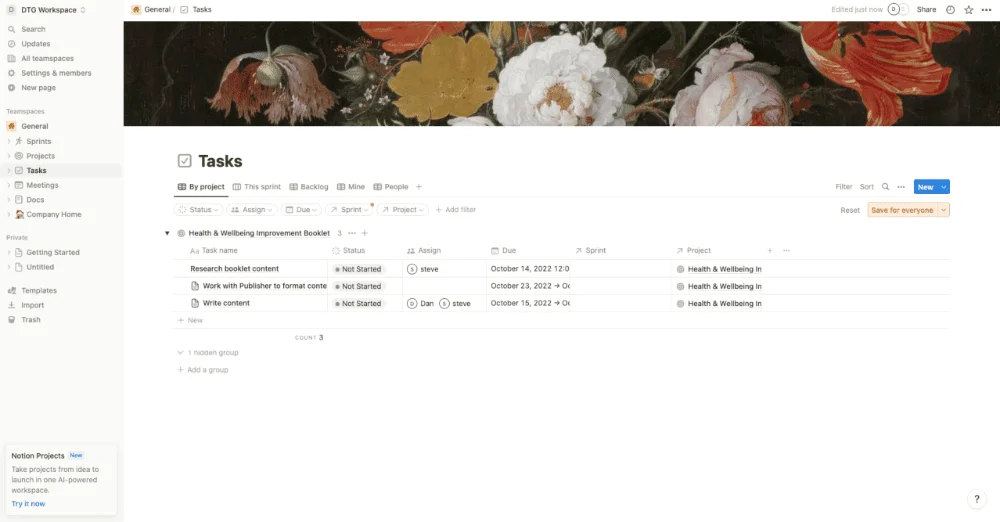
Notion is best as a knowledge base and documentation workspace for strategy, SOPs, and internal reference content. Its flexibility is a strength for wikis but a liability for production: every workflow must be custom-built and maintained.
Clipflow is best as a production execution system for planning, ownership, review, approvals, and scheduling in one connected workflow.
Pros & Cons
There are benefits and restrictions to every tool. Your job is to decide what's most important to you, and your team.
Notion
- No automatic overdue alerts
- No task dependencies or deadline enforcement
- No video review, proofing, or approval workflow
- Requires a "Notion person" to build and maintain
- 5MB upload limit on Free plan, limited for video assets
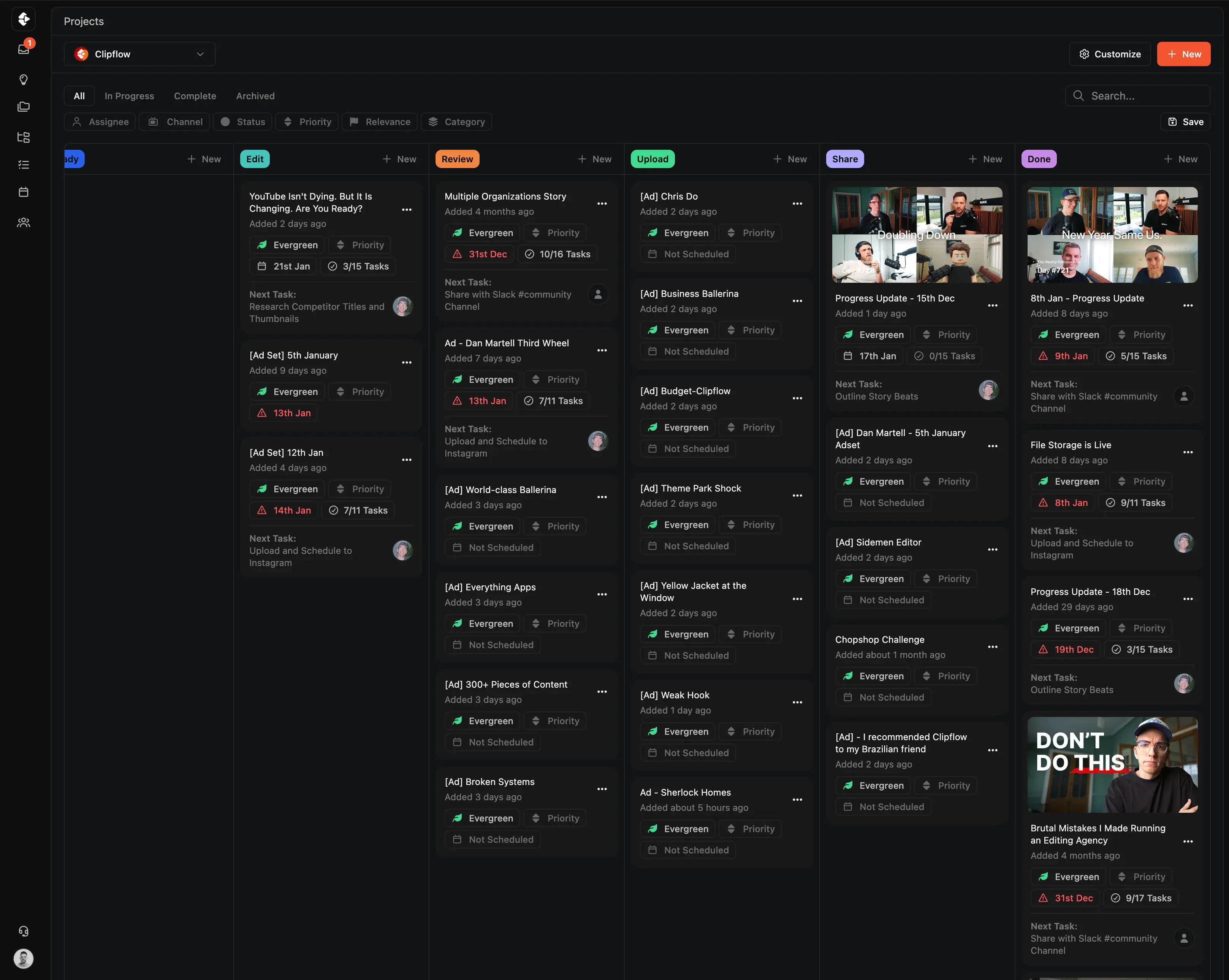

Clipflow
- Overdue alerts and status tracking out of the box
- Task dependencies with auto-shifting deadlines
- Video review and one-click approvals in every project
- Works immediately, no custom database building
- Large file uploads designed for production assets
Clipflow vs Notion: Feature Comparison
A feature by feature breakdown of features that matter to high-output content teams and media businesses.
| Feature | Clipflow | Notion |
|---|---|---|
| Task dependencies | Yes | No native dependencies |
| Deadline enforcement / overdue alerts | Yes | No automatic overdue alerts |
| Video review & approval | Built-in | No |
| Task templates with relative dates | Auto-shifting | Manual only |
| Multi-assignee per task | Yes | Partial |
| Workload / capacity view | Yes | No |
| Native reporting / analytics | Yes | No built-in reporting |
| Goal tracking / milestones | Yes | No |
| Post calendar / scheduling | Yes | No |
| Client portals / share links | No-login review | No native client portal |
| Native automation | Yes | Requires Zapier, Make, or API |
| Recurring task workflows | Yes | No true recurring reminders |
| Form-to-task pipeline | Yes | No |
| File uploads (video assets) | Yes | 5MB limit on Free, limited on paid |
| Built for team adoption | Works out of the box | Requires a "Notion person" to build and maintain |
| Free tier | 14-day free trial | Yes |
| G2 rating | Not yet listed | 4.6/5 (~10,494 reviews) |
Clipflow vs Notion: How the Costs Compare
Notion's Free plan has constraints that matter for team production: 5MB file uploads, 7-day version history, and a 10-collaborator cap. The Plus plan ($8/seat) lifts the collaborator cap, and Business ($15/seat) is usually where teams land for proper version history and advanced permissions. Effective entry price for content teams therefore tends to be $15/seat/month.
| Plan | Clipflow | Notion |
|---|---|---|
| Free | Unrestricted trial (14 days) | 5MB uploads, 7-day history, 10-collaborator cap |
| Per-user (paid) | $29/user/month | $8–$15/user/month |
| Unlimited users flat rate | $424/month | Per-seat only |
| AI add-on | Coming Soon | $10/seat/month extra |
| Free trial | 14 days, no credit card | Available |
Why Users Switch from Notion
Notion is an excellent wiki and documentation tool. But content teams often discover it was never built for production management: no task assignment logic, no video review, no scheduling, and no deadline enforcement. Here are the most common reasons content teams look for alternatives.
A Wiki, Not a Production Tool
Notion organizes information beautifully but has no concept of production workflows, task ownership, or delivery accountability. Every workflow must be custom-built from databases.
No Video Review or Approvals
No frame-accurate review, no proofing, no approval gates. Teams need Frame.io or another tool alongside Notion, fragmenting the workflow.
The "Notion Person" Problem
Every Notion workflow is custom-built. The databases, templates, and views are owned by someone on your team. When that person leaves, the workflow knowledge often goes with them.
No Client Portal or Share Links
Agencies sharing work with clients can't do it natively without over-sharing internal workspace access. No scoped review links for external stakeholders.
Setup and Maintenance Time
Notion content workflows are custom builds: databases, templates, views, permissions, formulas. Setup takes hours to days of internal time, and any workflow change means rebuilding pieces. That operational cost doesn't show on the per-seat price.
No Channels, Scheduling, or Publishing
Notion has no concept of social channels, post scheduling, or multi-platform publishing. Content teams need separate scheduling tools on top of everything else.
You can read real reviews from real people at Notion reviews on G2
Who Should Choose Clipflow vs Notion?
Both tools have strengths.
The best choice depends on whether you need a documentation workspace or a production execution system.
Notion is strong in knowledge management, flexibility, and long-form writing. It's genuinely excellent for wikis, brand guides, and SOPs.
But for content teams that need accountability, deadline enforcement, and review workflows (not just a place to store docs), Clipflow is the better choice.
Notion is best for:
- Teams primarily needing a knowledge base, wiki, or documentation system
- Small teams with simple task tracking needs and a budget constraint
- Teams that want to store content strategy and reference material
- Organizations already using Notion for documentation who need to add light task management
Clipflow is best for:
- Content agencies managing production across multiple clients
- YouTube teams where accountability and deadline tracking are non-negotiable
- Teams tired of rebuilding their Notion workspace every time requirements change
- Teams that have outgrown a custom Notion build maintained by one person
- Teams producing 50+ pieces of content per month
- Anyone needing video review, approvals, and scheduling in one system
What Clipflow Does That Notion Can't
Purpose-built features that fill the gaps Notion leaves for content teams.





Project Templates with Role-Based Tasks
Build repeatable workflows once. Tasks auto-assign to editors, strategists, and reviewers based on their role (no custom database building required).
- Templates with relative due dates that shift automatically
- Role-based auto-assignment across your team
- One-click project creation from any template
Built-In Media Review & Approval
Frame-accurate video commenting and approval workflows (no Frame.io subscription needed). Clients review via share links without creating an account.
- Timestamped feedback directly on video
- Client review with no-login share links
- Approval workflows built into every project
Built for How Content Teams Actually Work
Features that address the daily friction Notion can't solve as a documentation tool.








Multi-Channel Publishing & Scheduling
Schedule 50+ posts per day across YouTube, TikTok, LinkedIn, and Instagram from one calendar. Notion has no native scheduling or publishing capabilities.
- One calendar for all platforms and handles
- Bulk scheduling across channels
- Performance tracking per post

Multi-Org & Client Management
Native architecture for agencies managing multiple clients. Clean separation, cross-org visibility, and client share links (no over-sharing your internal Notion workspace).
- Separate workspaces per client
- Cross-org reporting and visibility
- No-login client portals for review
A step-by-step guide to migrating your content workflow.
How to Switch from Notion to Clipflow
Step 1
Start your free Clipflow trial
Sign up for a 14-day trial (no credit card required). Identify which Notion databases are production workflows vs documentation.
Step 2
Move production workflows to Clipflow
Recreate your content pipeline using Clipflow's project templates. Move task tracking, review workflows, and publishing calendars out of Notion.
Step 3
Keep Notion for documentation (optional)
Many teams keep Notion for brand guides, SOPs, and strategy docs. Move project-specific briefs and scripts to Clipflow's Pages feature.
Work Smarter, Less Chaos

Clipflow vs Asana
Compare setup, review flow, and delivery for Asana.
Learn more →
Clipflow vs ClickUp
Compare setup, review flow, and delivery for ClickUp.
Learn more →
Clipflow vs Trello
Compare setup, review flow, and delivery for Trello.
Learn more →
Clipflow vs Frame.io
Compare setup, review flow, and delivery for Frame.io.
Learn more →Avoid this "Productivity" Trap
A beautiful wiki is not a production system
Notion organizes information beautifully. But content teams need accountability, deadline enforcement, and review workflows, not just a place to store docs. Clipflow is built for production velocity.
Last updated: June
Reviewed by: Clipflow Editorial Team
All product names, logos, and brands are property of their respective owners. Use of these names and logos is for comparison and identification only, and does not imply affiliation or endorsement.
Frequently Asked Questions
Can I migrate from Notion to Clipflow?
Does Clipflow have a Notion integration?
Is Clipflow cheaper than Notion?
Can I use Notion alongside Clipflow?
Does Notion have video review features?
How does Clipflow handle deadlines compared to Notion?
Does Notion have approval workflows?
Can Clipflow handle content briefs and scripts?
Does Clipflow have a knowledge base like Notion?
What is the real monthly cost of using Notion for content teams?
Is Clipflow a good alternative to Notion for agencies?
How long does it take to set up Clipflow?
Does Clipflow have a content calendar?
Can I try Clipflow before committing?
What is the biggest difference between Notion and Clipflow?