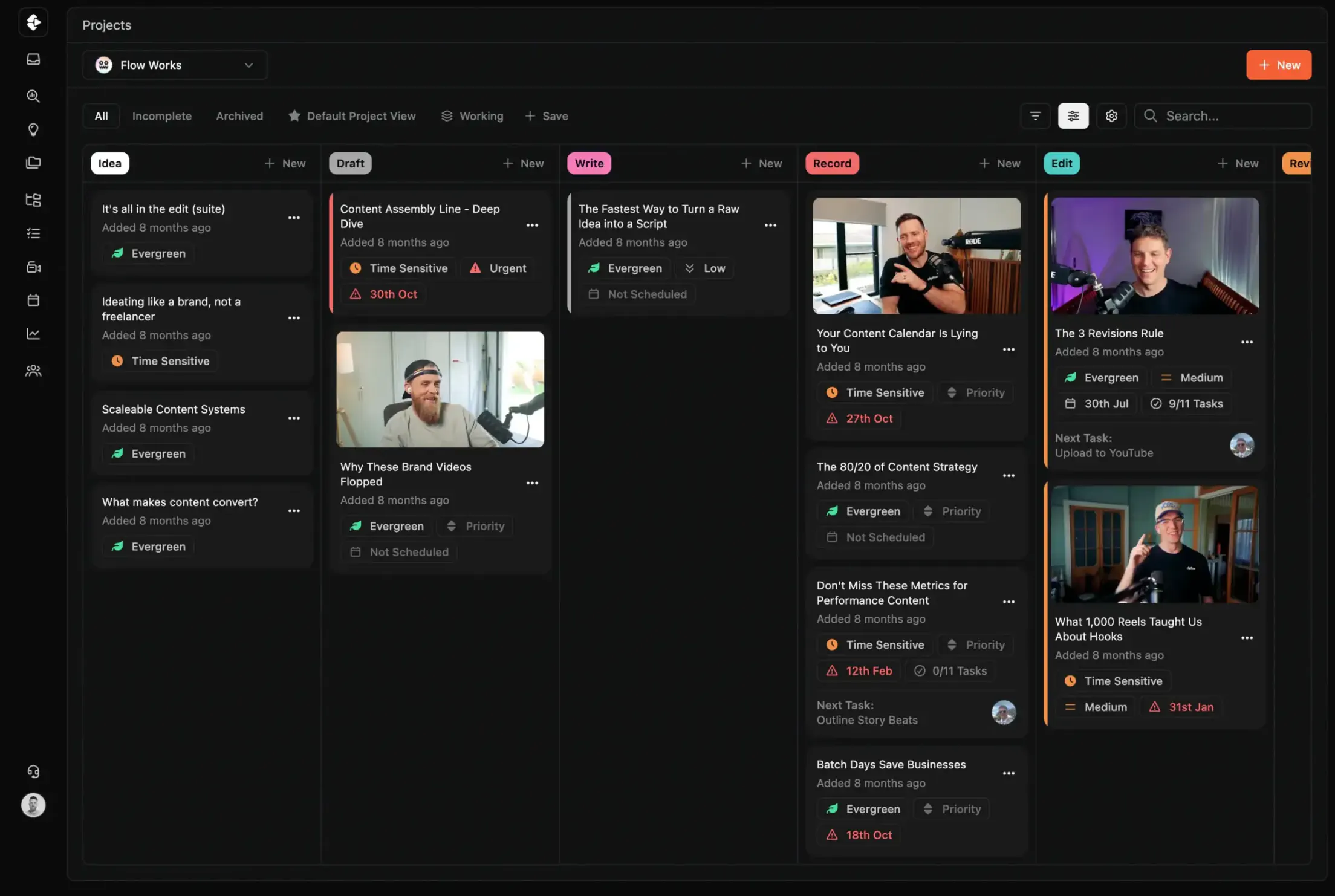
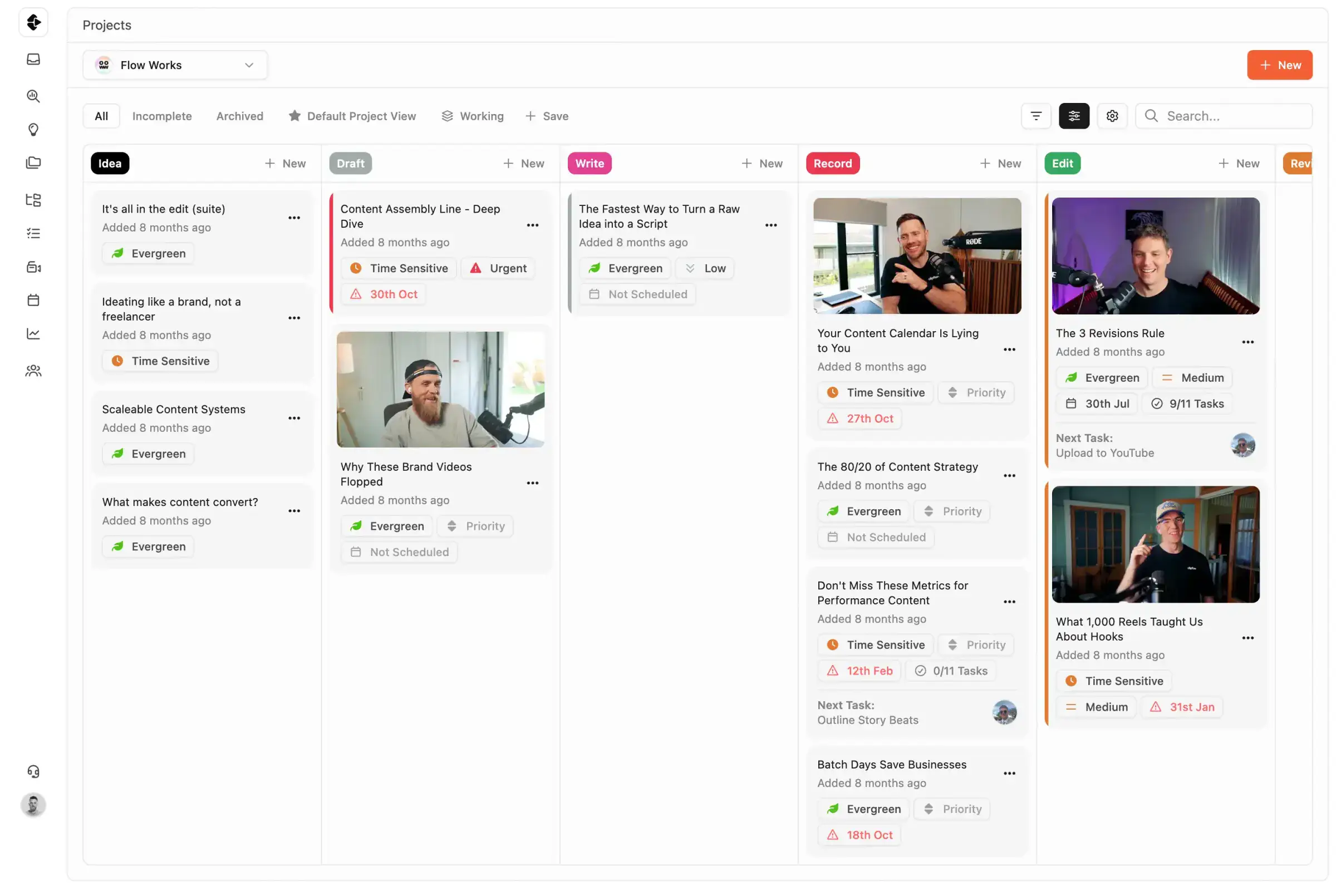
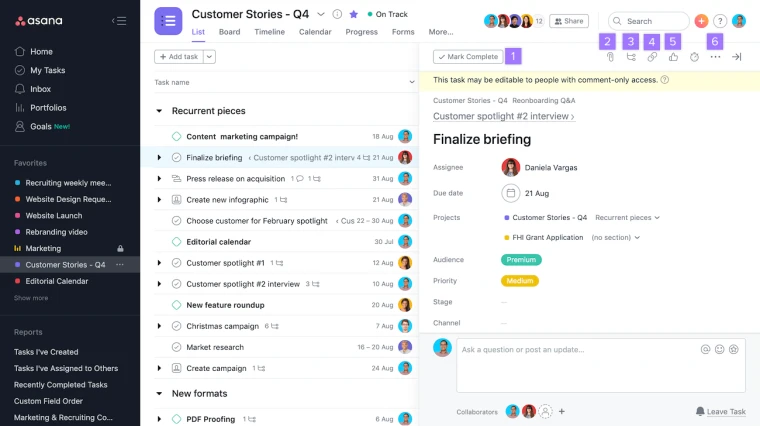
Best Asana Alternative for Content Teams
Asana is one of the most capable enterprise project management tools available. With coverage for IT, Support and Operations teams, it leaves gaps for media businesses.
A side-by-side comparison of Asana and Clipflow covers who each product is best for, how much it costs as you grow and why the generalist approach fails content workflows.









Join 4,000+ Businesses Today
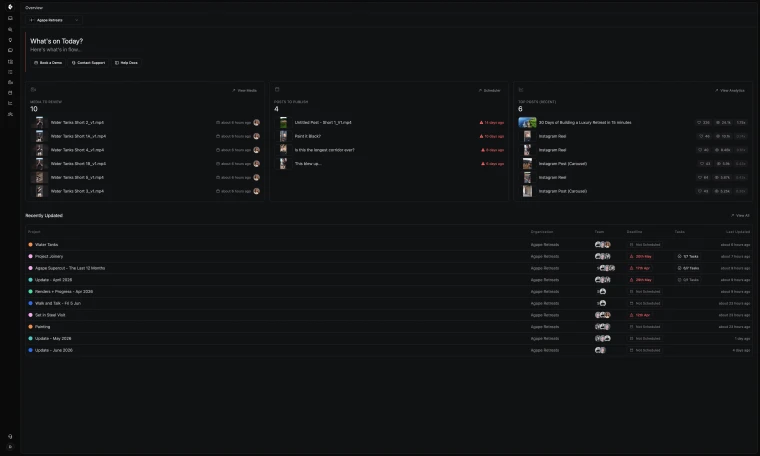
High-Output Media Businesses Trust Clipflow









Is Clipflow actually a good alternative to Asana?
Choose Clipflow if content production is core to your business growth. Choose Asana if your main requirement is general cross-department project management.
Asana vs Clipflow: What should you choose?
Asana is best for organizations that need one project management system across many departments, with broad integrations and mature enterprise controls. Personal is free but capped at two collaborators; paid plans are per-seat (annual billing is cheaper than month-to-month), and you often buy seats in fixed increments, so your invoice can reflect a block of seats rather than a perfect match to day-to-day headcount.
Clipflow is best for content teams that need planning, task execution, video review, approvals, and publishing in one connected workflow.
Pros & Cons
There are benefits and restrictions to every tool. Your job is to decide what's most important to you, and your team.

Asana
- Generic Task Structure for Ops, IT, Leadership Etc.
- No video review at any plan level
- Workload management locked behind Advanced (~$24.99/seat/mo, billed annually)
- ~250 automation actions/mo on Starter (many rules can still hit the monthly action cap)
- No native client portal or share links
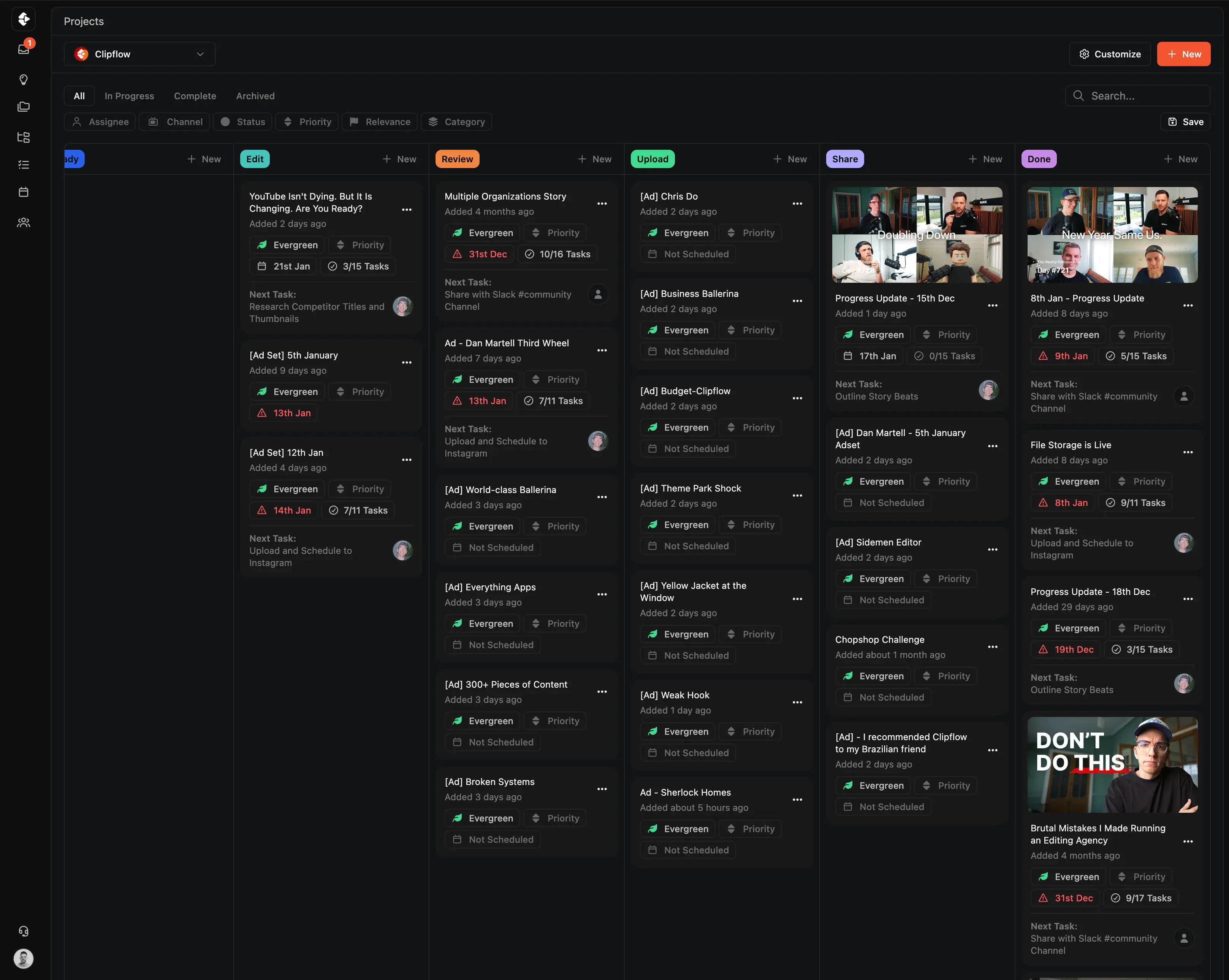

Clipflow
- Automated Role Based Task Assignement
- Video review and approval in every project
- Workload visibility included at every tier
- Unlimited automation across all plans
- Client share links with no-login review
Clipflow vs Asana: Feature Comparison
A feature by feature breakdown of features that matter to high-output content teams and media businesses.
| Feature | Clipflow | Asana |
|---|---|---|
| Content-specific workflow | Built for content from day one | General PM, content is an adaptation |
| Video review & approval | Built-in (no extra tool needed) | Requires Frame.io or another integration |
| Task templates with relative dates | Dates shift automatically with schedule | Fixed dates only |
| Multi-assignee per task | Yes | One assignee only (unresolved since 2019) |
| Multi-org / multi-client management | Native architecture | Requires workarounds |
| Post calendar | Schedule 50+ posts/day across channels | Not a scheduling tool |
| Thumbnail / title testing | Packaging tab | No |
| Content repurposing | One project → multiple posts | No |
| Client portals / share links | No-login review | No native client portal |
| Proofing / creative approvals | Built-in | Advanced plan only, requires integration |
| Workload management | Yes | Advanced plan only (~$24.99/seat/mo, billed annually) |
| Automation | Yes | ~250 automation actions/mo on Starter |
| Native document editor (briefs, scripts) | Pages in every project | Requires Google Docs or another tool |
| Integration ecosystem | Growing | Extensive (200+ integrations) |
| Mobile full feature set | Yes | Restricted views on mobile |
| Free tier | 14-day free trial | Personal: free, up to 2 users |
| G2 rating | Not yet listed | 4.4/5 (~13,177 reviews) |
Clipflow vs Asana: How the Costs Compare
Asana may require adding seats in fixed increments, so your subscription can include more seats than you have active people day to day. Example (Advanced, list annual rates): ~$150/mo for six seats vs ~$250/mo if your purchase rounds you to ten seats. Clipflow at 6 users: $2,088/year flat, or $424/month unlimited seats.
| Plan | Clipflow | Asana |
|---|---|---|
| Free | Unrestricted trial (14 Days No Credit Card) | Personal: free, up to 2 users |
| Per-user (paid) | $29/user/month | $17.99–$36.99/user/month |
| Unlimited users flat rate | $424/month | Per-seat only |
| Free trial | 14 days | 14-day free trial |
Why Users Switch from Asana
Asana is a solid tool for larger organisations and especially enterprise. But teams often find their needs don't match the offering. And it lets them down in small ways that slow down media production. Here are the most common reasons for content teams to look for alternatives.
Surprise Costs for Needed Functions
Advanced features cost more per seat, and seat-increment purchasing can push invoices above a simple headcount × rate estimate.
No media review at any plan level
Teams need separate tools for media review, a core component of their workflows adding extra costs.
Restrictive Automation Limits
Starter can cap monthly automation actions (~250) even though rule definitions are marketed as unlimited. Busy teams hit the ceiling fast.
No Native Client Portal & Sharing
Agencies have to configure custom board views for outside parties and teams can't quickly share public links.
Generic Project Structures
Being built for every team type means content projects, posts, media are usually just links and countless tags and set up.
Lacks Posts, Channels, Projects
Media businesses run tens to hundreds of accounts across countless platforms and generic tools don't even recognise them.
You can read real reviews from real people at Asana reviews on G2
Who Should Choose Clipflow vs Asana?
Both tools have strengths.
The best choice will always depend on your team size and budget as well as what you're trying to achieve.
Asana is strong in integrations and enterprise features having serviced enterprise customers for over 10 years. Suiting cross-department project management.
But for content teams, operating at fast pace, high-output Clipflow is the better choice.
Asana is best for:
- Organizations needing PM across sales, engineering, marketing, and HR
- Teams heavily reliant on existing Asana integrations
- Enterprise organizations with compliance and security requirements
- Teams that produce no video content
Clipflow is best for:
- Content agencies managing multiple clients
- Channels with editors, scriptwriters, and designers
- Teams needing review, portals, and approvals built in
- Anyone tired of paying for 5 tools
- Teams producing 50+ pieces of content per month
- Businesses with multi-channel, multi-handle brand
What Clipflow Does That Asana Can't
Purpose-built features that fill the gaps Asana leaves for content teams.





Project Templates with Role-Based Tasks
Build repeatable workflows once. Tasks auto-assign to editors, strategists, and reviewers based on their role (no manual setup each time).
- Templates with relative due dates that shift automatically
- Role-based auto-assignment across your team
- One-click project creation from any template
Built-In Media Review & Approval
Frame-accurate video commenting and approval workflows (no Frame.io subscription needed). Clients review via share links without creating an account.
- Timestamped feedback directly on video
- Client review with no-login share links
- Approval workflows built into every project
Built for How Content Teams Actually Work
Features that address the daily friction Asana can't solve for media production.








Multi-Channel Publishing & Scheduling
Schedule 50+ posts per day across YouTube, TikTok, LinkedIn, and Instagram from one calendar. Asana has no native scheduling.
- One calendar for all platforms and handles
- Bulk scheduling across channels
- Performance tracking per post

Multi-Org & Client Management
Native architecture for agencies managing multiple clients. Clean separation, cross-org visibility, and client share links (no workarounds required).
- Separate workspaces per client
- Cross-org reporting and visibility
- No-login client portals for review
A step-by-step guide to migrating your content workflow.
How to Switch from Asana to Clipflow
Step 1
Start your free Clipflow trial
Sign up for a 14-day free trial (no credit card required). Set up your workspace and invite your team.
Step 2
Set up project templates
Use Clipflow's content-specific templates to build your production workflow. Tasks auto-assign based on team roles (no manual configuration needed).
Step 3
Move active projects
Start new projects in Clipflow rather than migrating old ones. The workflow models are different enough that a clean start is faster than a line-by-line import.
Work Smarter, Less Chaos

Clipflow vs ClickUp
Compare setup, review flow, and delivery for ClickUp.
Learn more →
Clipflow vs Notion
Compare setup, review flow, and delivery for Notion.
Learn more →
Clipflow vs Trello
Compare setup, review flow, and delivery for Trello.
Learn more →
Clipflow vs Frame.io
Compare setup, review flow, and delivery for Frame.io.
Learn more →Avoid this "Productivity" Trap
More task updates does not always mean better content output
Generic PM tooling can create the feeling of progress while content teams still fight context switching, scattered reviews, and handoff delays. Clipflow is built content-first so the workflow itself drives delivery.
Last updated: June
Reviewed by: Clipflow Editorial Team
All product names, logos, and brands are property of their respective owners. Use of these names and logos is for comparison and identification only, and does not imply affiliation or endorsement.
Frequently Asked Questions
Can I migrate from Asana to Clipflow?
Is Clipflow cheaper than Asana?
Does Clipflow have an Asana integration?
Can I try Clipflow before committing?
Does Asana have content workflow features?
How does Clipflow handle team workload compared to Asana?
Does Clipflow support video review like Frame.io?
Can Clipflow handle multiple clients in one workspace?
What is the real monthly cost of using Asana for content teams?
Does Asana have creative approval workflows?
Is Clipflow a good alternative to Asana for agencies?
How long does it take to set up Clipflow?
Does Clipflow have a content calendar?
Can I use Clipflow for non-content projects?