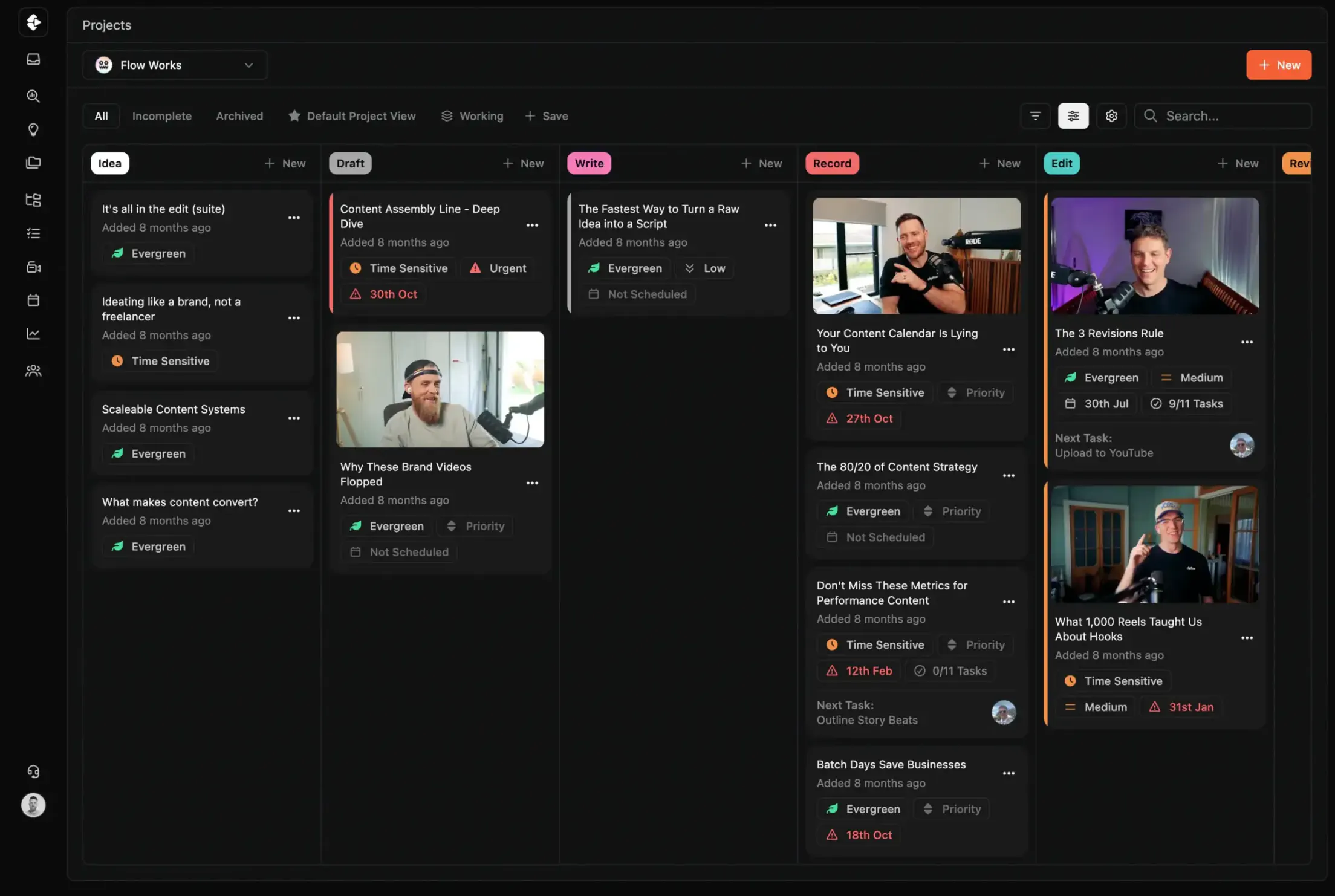
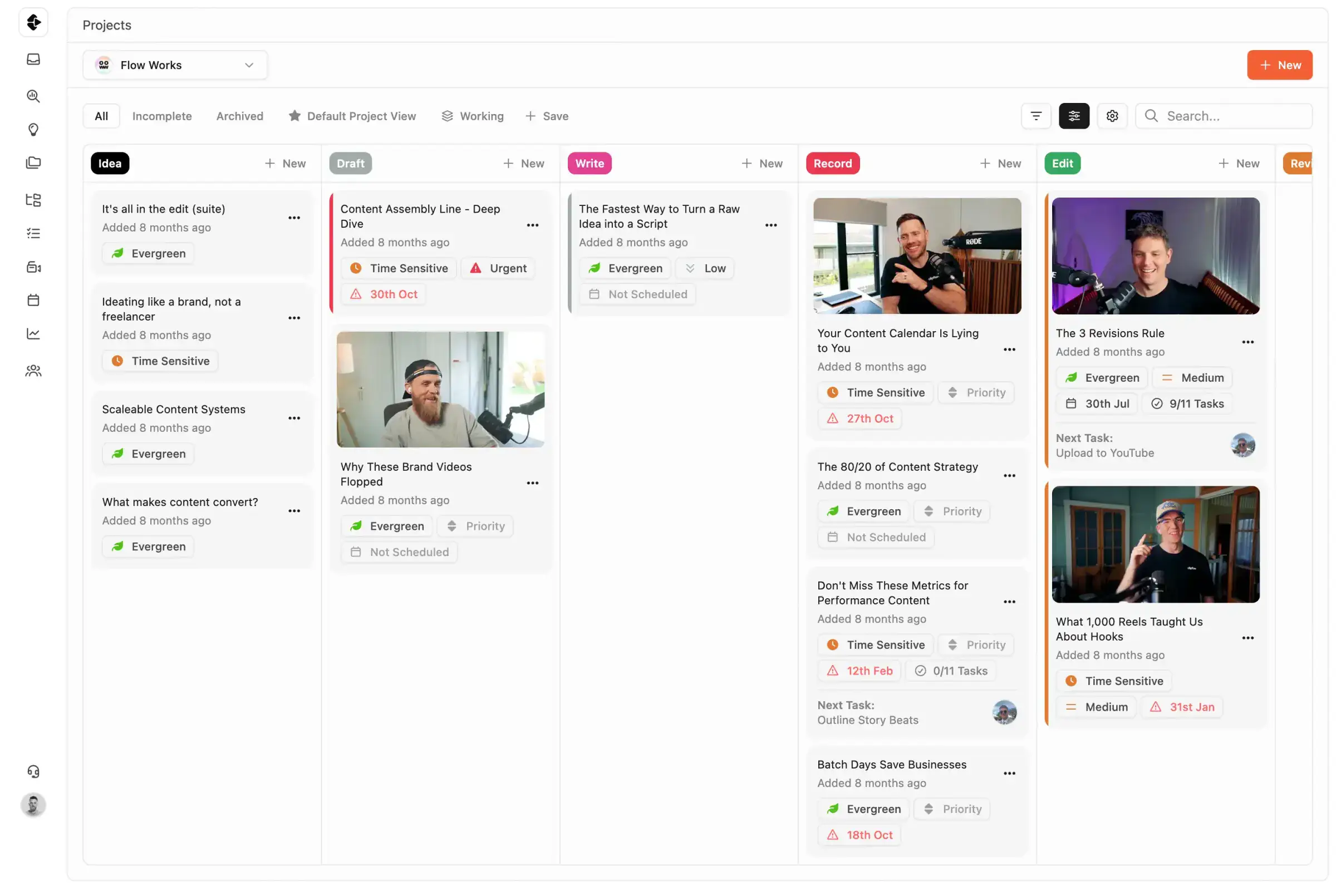
Best Trello Alternative for Content Teams
Trello is a great starting point. It's also a dead end for any content team managing multiple clients, approval cycles, or multi-person production workflows. Here's what that ceiling looks like.
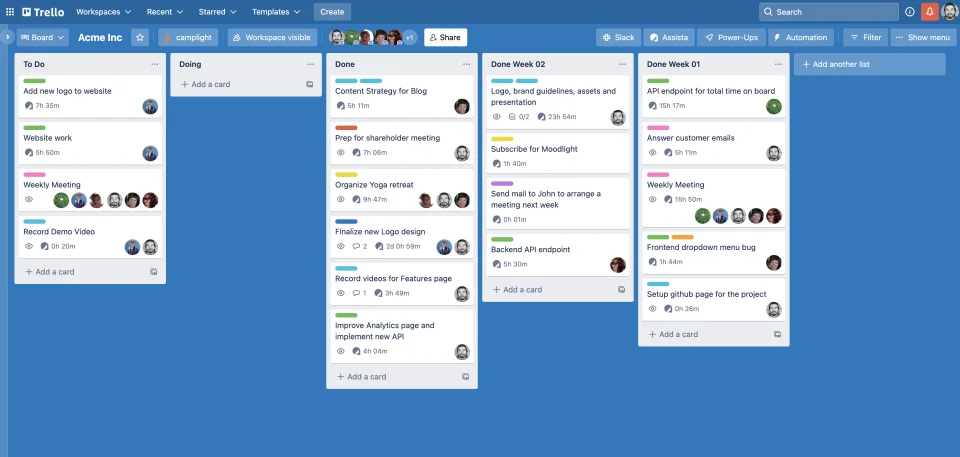
Trello is simple, visual, and easy to start with, but content teams quickly hit its ceiling. No dependencies, no approvals, no video review, and no multi-client visibility. A side-by-side comparison shows where Kanban boards stop and content operations begin.









Join 4,000+ Businesses Today
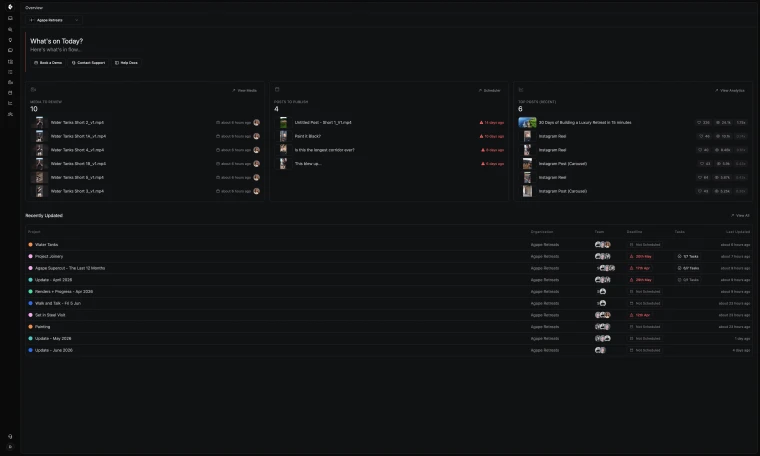
High-Output Media Businesses Trust Clipflow









Is Clipflow actually a good alternative to Trello?
Choose Clipflow if your team has outgrown basic Kanban and needs approvals, dependencies, and multi-client visibility. Choose Trello if your workflow is genuinely lightweight and single-track.
Trello vs Clipflow: What should you choose?
Trello is best for simple board-based workflows where speed and ease-of-use matter more than deep production controls. Its card-based system is intuitive but lacks the structure content teams need at scale.
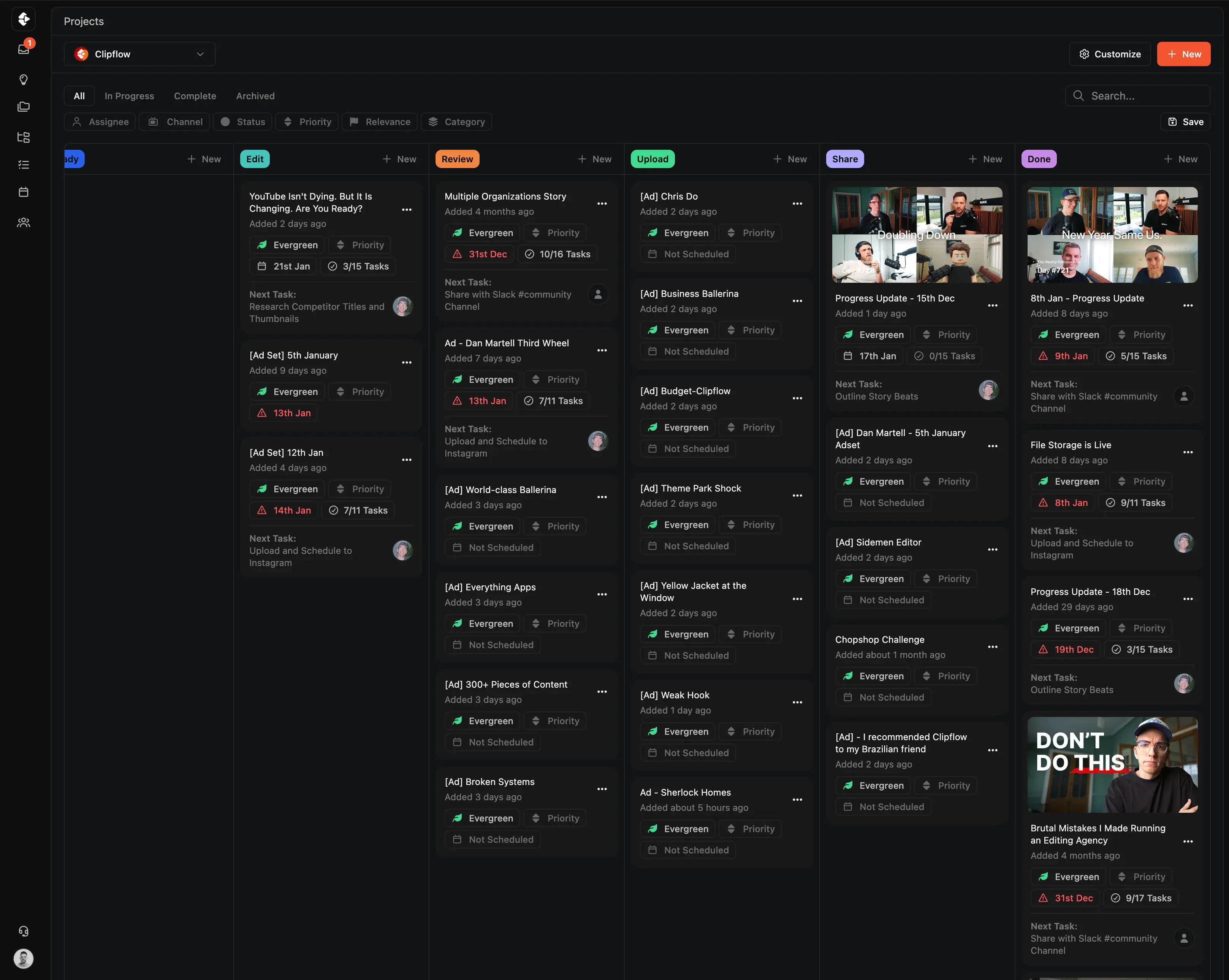
Clipflow is best for content operations that require approvals, dependencies, review workflows, and multi-client visibility, all connected in one production system.
Pros & Cons
There are benefits and restrictions to every tool. Your job is to decide what's most important to you, and your team.

Trello
- No media approval workflow or review process
- No unified view across multiple clients
- No file version control on attachments
- 10MB file limit on Free plan, limited for video assets
- Calendar and timeline views locked behind Premium

Clipflow
- Dependencies, approvals, and revision tracking built in
- Cross-org dashboard across every client at once
- Version history on all media with approval status
- Large file support designed for production teams
- Calendar, timeline, and kanban views on every plan
Clipflow vs Trello: Feature Comparison
A feature by feature breakdown of features that matter to high-output content teams and media businesses.
| Feature | Clipflow | Trello |
|---|---|---|
| Content-specific workflow | Built for content | Generic Kanban |
| Video review & approval | Built-in | No |
| Task dependencies | Yes | No native dependencies |
| Task templates with relative dates | Auto-shifting | No |
| Multi-org / multi-client management | Unified cross-client view | Separate boards, no unified view |
| Post calendar / scheduling | Yes | No |
| Thumbnail / title testing | Yes | No |
| Client portals / share links | No-login review | No |
| File version control | Yes | No version history for attachments |
| Approval workflow | Yes | No |
| Workload / capacity view | Yes | No |
| Calendar view | Yes | Premium plan only |
| Timeline / Gantt | Yes | Premium plan only |
| Native automation | Yes | Basic Butler automation only |
| Free tier | 14-day free trial | Yes |
| G2 rating | Not yet listed | 4.4/5 (~13,969 reviews) |
Clipflow vs Trello: How the Costs Compare
Trello's Free plan caps at 10 collaborators (a 2024 Atlassian change) and allows one Power-Up per board. Features other PM tools include natively (calendar views, timeline, time tracking, dependencies) are gated behind Power-Ups or paid plans on Trello. Enterprise is a 50-seat minimum (~$10,500/year), which can be more than smaller agencies actually need.
| Plan | Clipflow | Trello |
|---|---|---|
| Free | Unrestricted trial (14 days) | 10 boards, 10-collaborator cap |
| Per-user (paid) | $29/user/month | $5–$17.50/user/month |
| Unlimited users flat rate | $424/month | Per-seat only |
| AI add-on | Coming Soon | Atlassian Intelligence (Premium+) |
| Enterprise minimum | None | 50-seat minimum = $10,500/year |
| Free trial | 14 days, no credit card | Available |
Why Users Switch from Trello
Trello is a great starting point for simple projects. But content teams often discover its limitations mid-growth: no dependencies, no approvals, no multi-client visibility. Here are the most common reasons for content teams to look for alternatives.
No Task Dependencies or Structure
Trello doesn't know that the edit can't start until the script is approved. For multi-step production workflows, dependencies are essential and entirely absent.
No Video Review or Media Approval
There's no frame-accurate review, no timestamped commenting, and no approval workflow. Teams manage all feedback outside Trello, in Slack, email, and Google Docs.
Add-On Pricing for Common Features
Calendar views, timeline views, time tracking, and dependencies are delivered through paid Power-Ups. Features that other PM tools include natively are extra line items on Trello, configured per board.
No Cross-Client Visibility
Managing 5+ clients means maintaining 5+ separate boards with no unified overview. There's no way to see what's overdue, blocked, or at risk across all clients at once.
Plan Tier Limits and Caps
The Free plan is capped at 10 collaborators and 1 Power-Up per board. Timeline and dashboard views sit on Premium ($10/seat). Enterprise has a 50-seat minimum, which can be a structural cost for smaller agencies.
No Content-Specific Workflows
No post calendar, no content repurposing, no thumbnail testing, no publishing workflow. Trello treats every card the same regardless of whether it's a blog post, video, or social campaign.
You can read real reviews from real people at Trello reviews on G2
Who Should Choose Clipflow vs Trello?
Both tools have strengths.
The best choice depends on your team size, workflow complexity, and whether you've outgrown basic Kanban boards.
Trello is strong in simplicity and visual clarity. Genuinely fast to learn and the cheapest entry point available.
But for content teams managing multiple clients, approval cycles, or multi-person production workflows, Clipflow is the better choice.
Trello is best for:
- Solo creators or very small teams with simple, single-client work
- Teams that need the cheapest possible entry and have genuinely basic workflow needs
- Organizations already in the Atlassian ecosystem (Jira, Confluence)
- Teams with genuinely lightweight, single-track workflows
Clipflow is best for:
- Content agencies managing more than 2-3 clients simultaneously
- YouTube teams with multi-person production workflows
- Teams that have outgrown Trello and need approvals, dependencies, and revision control
- Anyone managing client approvals in a separate tool because Trello doesn't include approval workflows
- Teams producing 50+ pieces of content per month
- Agencies requiring cross-client visibility, not isolated board-by-board tracking
What Clipflow Does That Trello Can't
Purpose-built features that take content teams beyond basic Kanban boards.





Project Templates with Role-Based Tasks
Build repeatable workflows once. Tasks auto-assign to editors, strategists, and reviewers based on their role (no manual setup each time).
- Templates with relative due dates that shift automatically
- Role-based auto-assignment across your team
- One-click project creation from any template
Built-In Media Review & Approval
Frame-accurate video commenting and approval workflows (no Frame.io subscription needed). Clients review via share links without creating an account.
- Timestamped feedback directly on video
- Client review with no-login share links
- Approval workflows built into every project
Built for How Content Teams Actually Work
Features that address the daily friction Trello can't solve with cards and boards.








Multi-Channel Publishing & Scheduling
Schedule 50+ posts per day across YouTube, TikTok, LinkedIn, and Instagram from one calendar. Trello has no native scheduling, so teams export to Buffer or Sprout Social.
- One calendar for all platforms and handles
- Bulk scheduling across channels
- Performance tracking per post
Multi-Org & Client Management
Native architecture for agencies managing multiple clients. Clean separation, cross-org visibility, and client share links (no separate boards or workarounds required).
- Separate workspaces per client
- Cross-org reporting and visibility
- No-login client portals for review
A step-by-step guide to migrating your content workflow.
How to Switch from Trello to Clipflow
Step 1
Start your free Clipflow trial
Sign up for a 14-day trial (no credit card required). Trello boards map well to Clipflow projects.
Step 2
Recreate your boards as Clipflow projects
Use content-specific templates with built-in task assignments, dependencies, and approval stages that Trello boards cannot model.
Step 3
Invite your team
Add team members and assign roles. Clipflow auto-assigns tasks based on roles, no manual card assignment needed.
Step 4
Cancel Trello and Power-Ups
Once your workflow is running, cancel Trello Premium and any paid Power-Ups. Clipflow replaces Trello plus the tools you were bolting on.
Work Smarter, Less Chaos

Clipflow vs Asana
Compare setup, review flow, and delivery for Asana.
Learn more →
Clipflow vs ClickUp
Compare setup, review flow, and delivery for ClickUp.
Learn more →
Clipflow vs Notion
Compare setup, review flow, and delivery for Notion.
Learn more →
Clipflow vs Frame.io
Compare setup, review flow, and delivery for Frame.io.
Learn more →Avoid this "Productivity" Trap
Simple boards can hide complex production bottlenecks
Trello-style boards are easy to start but hard to scale for multi-stage content production. Clipflow keeps planning, review, and publishing connected so execution stays predictable.
Last updated: June
Reviewed by: Clipflow Editorial Team
All product names, logos, and brands are property of their respective owners. Use of these names and logos is for comparison and identification only, and does not imply affiliation or endorsement.
Frequently Asked Questions
Can I migrate from Trello to Clipflow?
Is Trello actually bad?
What's the real difference between Trello Premium and Clipflow?
Does Trello have task dependencies?
How hard is it to migrate from Trello to Clipflow?
Does Trello have video review features?
Can Trello handle multiple clients?
Does Trello have approval workflows?
Is Clipflow more expensive than Trello?
Can I try Clipflow before committing?
Does Clipflow have Kanban boards like Trello?
Is Clipflow a good Trello alternative for content teams?
Does Trello have a content calendar?
What are the limitations of Trello Power-Ups?