







Asana
General project planning and team task management.
No multi-assignee. No video review. Workload management gated behind the $24.99 plan.
Compare
Most project management tools were built for product, software and marketing teams. They stretched into 'everything' app territory to cover any workflow. Clipflow was built specifically for content from day one. You can compare for yourself what tool suits your team best.
Join 4,000+ Businesses Today
High-Output Media Businesses Trust Clipflow







Asana
General project planning and team task management.
No multi-assignee. No video review. Workload management gated behind the $24.99 plan.
ClickUp
Highly configurable docs, tasks, and dashboards.
3 weeks of setup before you're running content. Documented reliability issues since 2021.
Notion
Content planning docs, wikis, and lightweight project boards.
A wiki, not a production system. Nothing tells you what's overdue.
Trello
Simple Kanban boards for content queues.
Great Kanban. No approvals, no version control, no unified client view.
Frame.io
Video review and timestamped feedback.
Best-in-class video review. No project management, no task workflow, no scheduling.
Clipflow
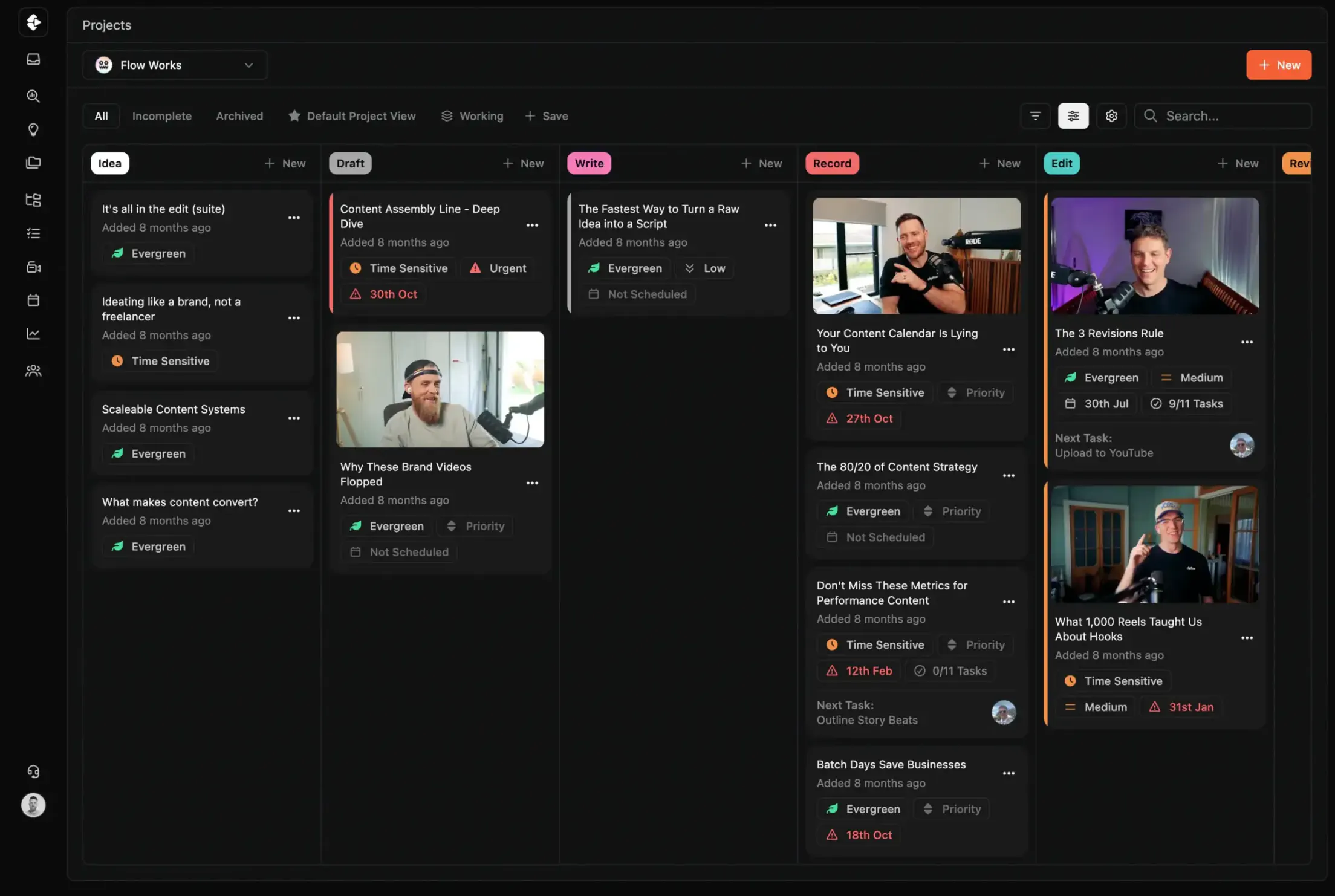
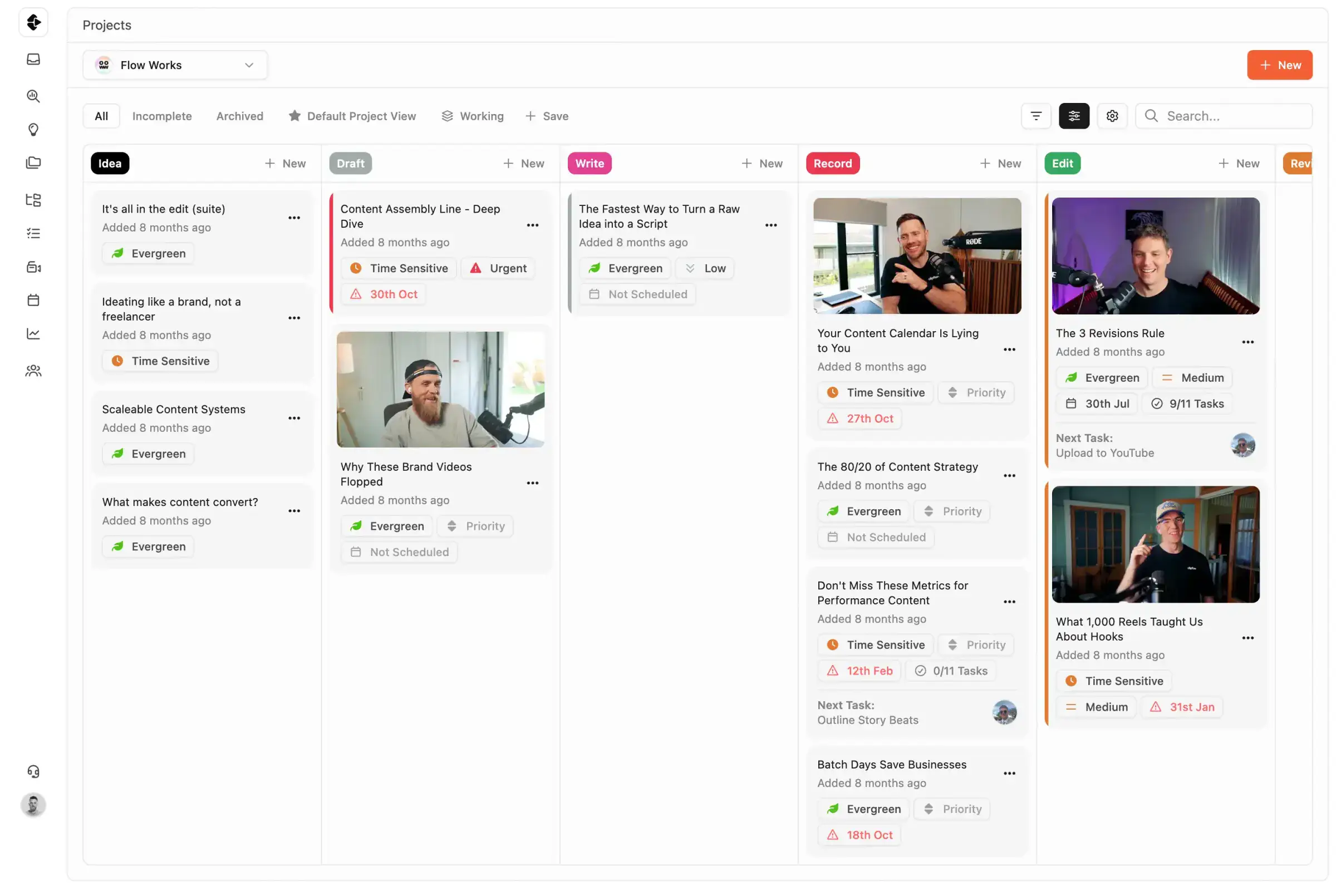
Scripts, tasks, video review, approvals, and publishing in one production workspace.
Purpose-built for content teams, not a generic PM tool stretched to fit production.
Airtable
Database-style planning, campaign tracking, and custom views.
Flexible for tracking systems, but often needs significant ops setup for production workflows.
Comparison to Airtable coming soon
Claude Code
Drafting and iterating technical or scripted content with AI assistance.
Great for generation speed, but still needs structured project workflows for collaboration and delivery.
Comparison to Claude coming soon
Content teams outgrow generic project management tools when production gets real. Here is what teams using popular workflow tools run into, and what the actual cost looks like.
Asana works well for generic project management across departments. But content teams hit walls fast.
ClickUp can be configured to do almost anything. That is the problem. Teams report 3+ weeks of setup before running their first content project.
Notion is an exceptional knowledge base and wiki. It is not a production system. Most content teams need a dedicated "Notion person" to build and maintain it.
Trello is the right first tool for content teams starting out. It is rarely the right tool at scale.
Frame.io is the best video review tool available. It is also only one step in content production.
Clipflow starts where those tools run out.
See how Clipflow compares in capability from other tool choices for content teams.
Swipe horizontally to compare
"I've been using it daily for 10 months and it's one of the best decisions I've ever made for my agency. It's been a game changer for me and for my clients. It's frictionless."
Hansel Alvarez
Halva
"Keeping our whole team organized and on schedule. It helps us deliver quality work for our clients daily."
Naomi Porter
Creator Service Co.
"We're producing 80 to 100 pieces of content a month, moving to 150 to 200 for 15 to 30 different clients. We have no concern with how we're going to scale."
Oscar Mitchell
True Cut Media
"I've been using it daily for 10 months and it's one of the best decisions I've ever made for my agency. It's been a game changer for me and for my clients. It's frictionless."
Hansel Alvarez
Halva
"Keeping our whole team organized and on schedule. It helps us deliver quality work for our clients daily."
Naomi Porter
Creator Service Co.
"We're producing 80 to 100 pieces of content a month, moving to 150 to 200 for 15 to 30 different clients. We have no concern with how we're going to scale."
Oscar Mitchell
True Cut Media
Last updated: March 2026
Reviewed by: Clipflow Editorial Team
All product names, logos, and brands are property of their respective owners. Use of these names and logos is for comparison and identification only, and does not imply affiliation or endorsement.