A viewer comments "HOOKS" under your reel, a message arrives seconds later, and they hand over an email address for something they asked for. That's a comment-keyword funnel, and it's worth setting up when you have something specific to give.
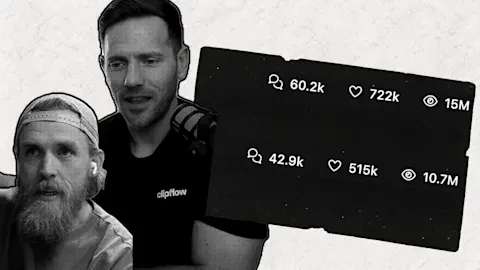
Source: The examples are public posts. The FinalLap post is a paid partnership with Manychat. Gannon Meyer runs a Manychat agency and earns an affiliate commission from the course that post promotes. The other figures come from Matt Gray's post. Treat all of these numbers as unverified claims. The steps come from our own content plan, but we have no results of our own yet, so this is a process to test.
Make sure you have something worth asking for
The funnel only works if the thing you send is useful by itself. A generic "free guide" gives nobody a reason to type a word, and a person who feels tricked by what arrives won't open your next message.
Our rule is that this mechanic is an exception, used only when there's a real asset behind it. Good assets are specific and quick to use:
- A checklist for a job your customer does this week.
- A template they can fill in.
- A short list of examples they can copy.
- A recording of a workshop or a walkthrough.
Keep the asset small enough to finish. One of the reels we studied makes the same point about offers sent through Instagram stories: make sure the thing you give away is valuable. We'd ask whether you'd pay for yours before writing a line of the post.
Match the asset to the post
Matt Gray calls this a contextual call to action: every piece of content points to a lead magnet tied to that exact topic. Matt says a comment word for a workshop drove more than 1,200 leads and credits the match between the ask and the content, though one post can't isolate the cause.
A reel about writing hooks should offer hooks. If that same reel offers your general newsletter, the viewer has to do the work of connecting the two, and most won't.
This is why one account can use several words. @sellingsocial.co has rotated HOOKS, GUIDE, HOME, STORY and TOOLS, each attached to a different promise. One of its comment-gated lists used the shape [N] [things] that [outcome] and reached 307,063 views.
Choose one word and use it everywhere
Pick a short, ordinary word that's easy to spell on a phone, and use the same word in the post, the caption and the landing page. People type what they see, so every variation is a comment your automation can miss.
Say the word out loud in a reel and show it on screen. On a carousel, put it on the last slide as well as in the caption. Asking in the caption alone is a weak way to earn comments, so make it part of the post.
Set up the automation with one ask
The FinalLap and Gannon Meyer posts both use Manychat, but any tool approved for Instagram messaging will do. The sequence is short:
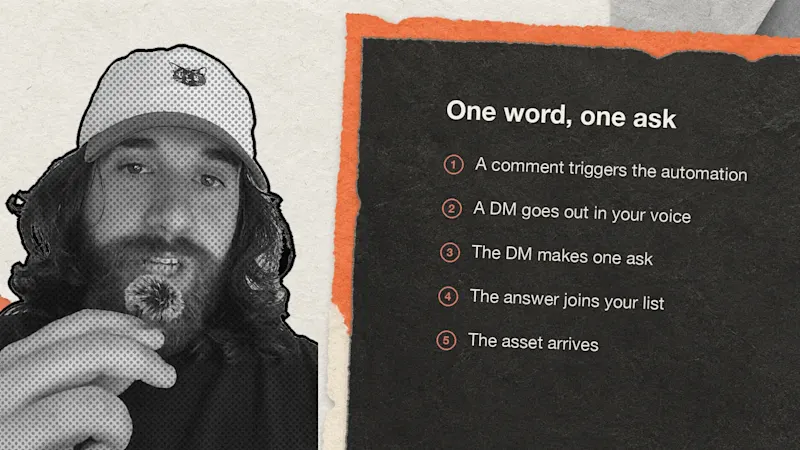
- A comment containing your word triggers the automation.
- A DM goes out straight away in your voice.
- The DM makes one ask.
- The answer goes to your email or text list.
- The asset arrives, or the link to it does.
The ask is the decision that matters. FinalLap's founder asks for a phone number, with the reasoning that "An email gets buried. A text gets read." and that a live auction launch needs everyone there at once. Gannon asks for an email address first and sends the promised item after that. Our own plan uses a landing page that teases the asset and gives it to you for an email address.
Use email unless a single moment matters as much as FinalLap's launch day. Text suits one-off events, and email suits a longer relationship. Tell people plainly what they're signing up for, and check the privacy and marketing rules where your customers live.
Then test the path yourself from a second account. Comment the word, read the DM on a phone, open the link, and make sure the asset arrives. Do this again after any change.
Decide what happens after the asset
The list is the reason to do any of this. FinalLap's line is "views are rented, but the list is yours", and that only holds if the list hears from you.
Gannon's version runs comment, free template, $99 offer, email sequence, then either a launch or an application. The thank-you page offers the small product straight away, and the welcome emails point towards a larger one. Gannon claims this brings in $600,000 a year, which we can't check and wouldn't plan around.
A simpler version suits most businesses:
- Send the asset and one useful follow-up tip.
- Two days later, send a real example or case.
- A week later, make one clear offer: a consultation, a trial or a quote.
FinalLap's post also shows a good media habit. The first reel with the call to action did well organically, and then it was run as an ad. If one of your posts turns comments into signups, it may be worth paying to show it to more people.
Measure each step
Track these five numbers for each word, in one row of a spreadsheet:
| Step | What to count |
|---|---|
| Reach | Views on the post |
| Interest | Comments with the word |
| Delivery | DMs sent |
| Capture | Emails or numbers collected |
| Value | Customers or booked calls from that list |
A made-up example shows how to read it. Say 20,000 views bring 200 comments, 180 DMs go out, and 90 people leave an email. If two of them book a call, the funnel is working, and if you got 200 comments and four emails, the problem sits in your DM. Few comments on good views point to a weak asset or a weak ask, and plenty of emails with no bookings point to what happens after.
Try it on one post
- Pick your best-performing topic from the past three months.
- Make one small asset for that topic in an afternoon.
- Choose one word, and put it in the post and on the landing page.
- Run the full path from a second account.
- Log the five numbers after a week.
If the post earns comments and the emails arrive, add a follow-up sequence and make a second asset for your next topic.