Best Frame.io Alternatives for Content Teams (2026)

Clipflow is our pick for content teams that want review, planning and publishing in one place. If all you need is a review tool, Filestage, Ziflow and Wipster each do that part well, and some cost less. We make Clipflow, so read the ranking with that in mind. The tables show where every other tool beats it, including price and editing-app plugins. Frame.io is the baseline in the comparison table and is not ranked.

Reviewed by Darrell Gardiner

Last updated

Key Takeaways

  • Clipflow is the only tool here that also covers planning and publishing, on top of frame-accurate comments, client review without a login and version comparison.

  • At 6 people, Wipster is the cheapest listed per-seat plan at $120/mo on annual billing, against $174/mo for Clipflow and $150/mo for Frame.io Team.

  • Filestage and Ziflow charge per plan, not per seat: $199/mo and $199/mo cover 10 and 15 users, and both have a free plan.

  • Dropbox Replay and Ziflow both list Premiere Pro, Final Cut Pro and DaVinci Resolve plugins. Clipflow lists none.

  • Iconik fits teams that mostly need to organize a large media library, with review as one part of that.

What a Frame.io Alternative Needs to Do

Frame.io set the baseline for video review: comments pinned to an exact frame, a link a client can open without an account, two versions side by side, and a clear approved or not approved. A real alternative covers those four jobs.

A team looking past Frame.io usually wants the same review features at a different price, or review that sits next to the rest of the work. This ranking compares both kinds, and shows which tools stop at approval and which carry on to planning and publishing.

How We Ranked These Tools

  • Frame-accurate video comments. Whether reviewers can pin a note to an exact frame or time range, as listed on the vendor's own site.

  • Client review without a login. Whether a client or outside reviewer can comment and approve through a link, with no paid seat and no account.

  • Version comparison. Whether two versions of a file can be viewed side by side, and on which plan.

  • Approval status. Whether a file carries a clear approved or changes-requested state, not just a thread of comments.

  • Planning and publishing beyond review. Whether tasks, a content calendar and posting to channels live in the same tool, or need others added.

  • Cost for 6 people. The cheapest paid plan that fits six people, at list rates from each vendor's pricing page. Where a vendor shows no US list price, the table shows the price it does publish, in that currency, instead of estimating. Where seat prices vary by type, the table says so.

  • G2 rating. Rating and review count from G2, rounded down. G2 blocks automated fetches, so figures come from G2 comparison-page snapshots, and Clipflow isn't listed there yet.

Prices and limits last checked on October 17, 2026.

The Rankings

1. Clipflow

Best for: Content teams that want review, planning and publishing in one place

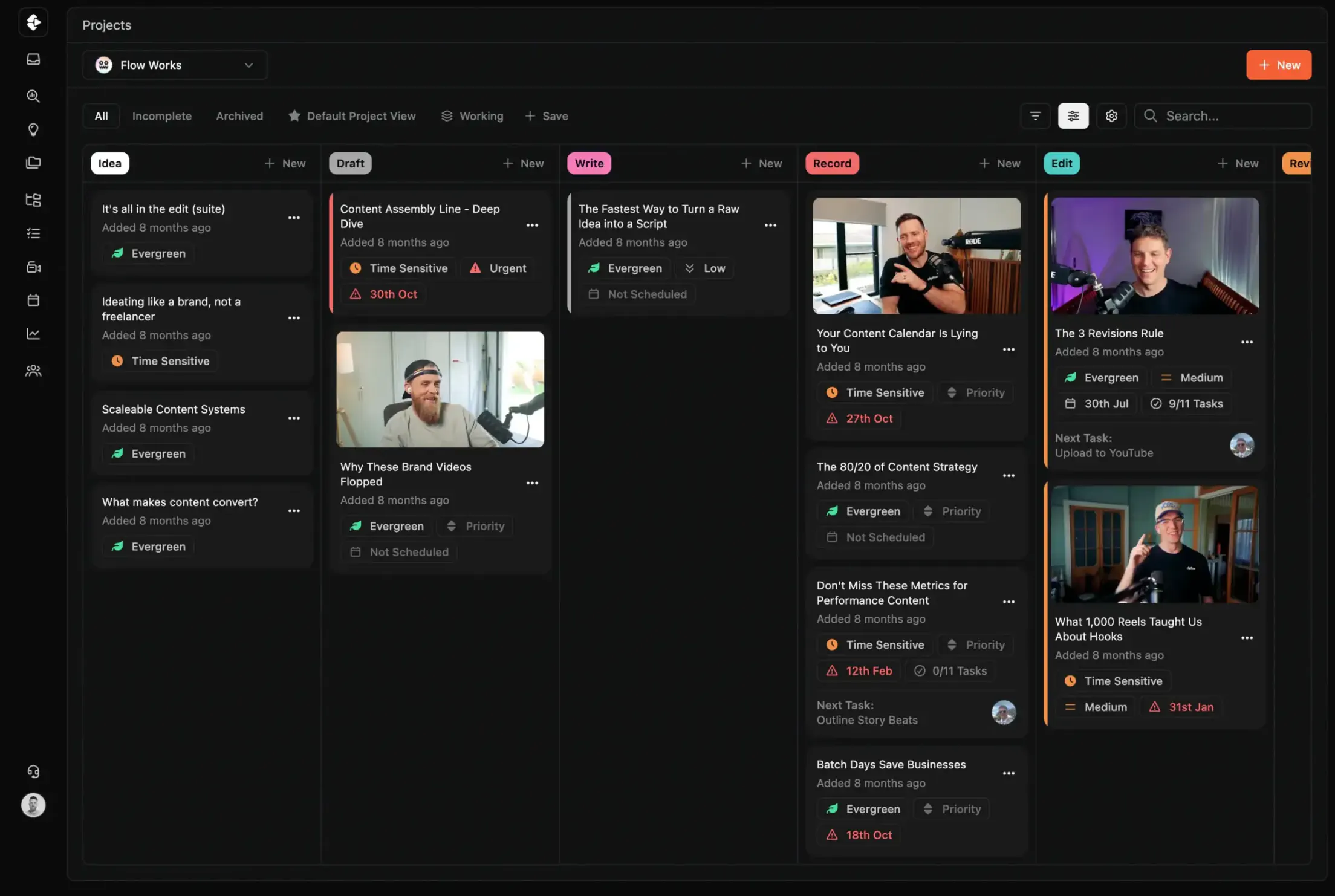
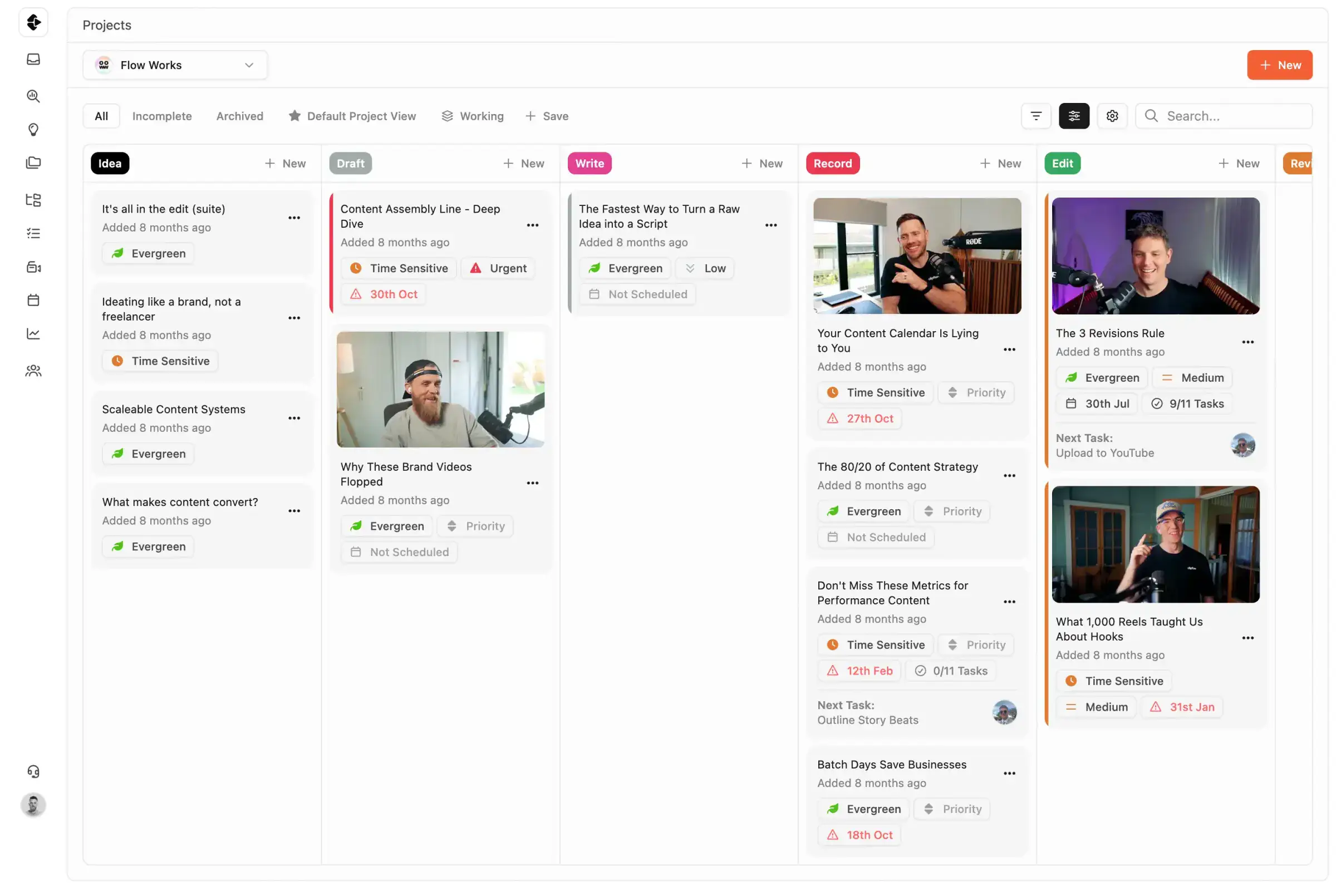
Clipflow is organized around content projects. Each one holds the script, the tasks, the media for review and the posts it turns into. Editors comment on video at the exact frame, clients approve through a share link without logging in, and approved posts go onto the calendar for each channel. Frame.io stops at approval, so a team on it still needs a planner and a scheduler.

6 people
$174/mo (Growth, per user)
Free plan
No (14-day trial, no credit card)
G2
Not listed yet

Where it's strong

  • Frame-accurate comments, version comparison and approval statuses sit in the same project as tasks and posts

  • Clients review and approve through a share link, with no login and no paid seat

  • Post calendar and scheduling across channels are included

  • A $424/mo plan covers unlimited users

Where it falls short

  • $174/mo for 6 people on Growth, more than Wipster at $120/mo

  • No Premiere Pro, Final Cut Pro or DaVinci Resolve plugin listed

  • No free plan, only a 14-day trial

  • Not listed on G2 yet, so there are no public reviews to compare

2. Filestage

Best for: Agencies collecting sign-off on video, PDFs and images from outside clients

Filestage is a review and approval tool for several file types, built around reviewer groups and approval stages. Reviewers need only an email address. It prices per plan with 10 seats included, which suits teams larger than a couple of people.

6 people
$199/mo (Starter, flat, monthly, 10 seats included)
Free plan
Yes, 1 active project, 5 new files a month, 2GB
G2
4.6/5 (240+ reviews)

Where it's strong

  • Reviewers comment and approve with an email address, no account

  • A free plan with one active project and 5 new files a month

  • One flat price: $199/mo on Starter covers 10 seats

  • Premiere Pro and After Effects integration

Where it falls short

  • Side-by-side version compare starts on Starter, and overlay compare needs Business at $329 a month

  • Review stages and due dates only, with no post calendar or publishing

  • The free plan is capped at 2GB

  • No Final Cut Pro or DaVinci Resolve plugin listed

3. Ziflow

Best for: Larger teams that need staged approval workflows and editing-app plugins

Ziflow handles video, images and documents, with review stages that route a proof to the right people. Its plugins cover Premiere Pro, Final Cut Pro and DaVinci Resolve, and reviewers don't need a paid license.

6 people
$199/mo (Standard, flat, billed annually, 15 users included)
Free plan
Yes, 2 users, 2GB, 60 days of review history
G2
4.5/5 (900+ reviews)

Where it's strong

  • Plugins for Premiere Pro, Final Cut Pro and DaVinci Resolve

  • Unlimited proofs and reviewers on every plan, including free

  • Pixel-level version comparison on the free plan

  • $199/mo for 15 included users on Standard, billed annually

Where it falls short

  • Standard allows 2 workflow stages and 1 active template, and 3 stages on Pro at $329 a month

  • The free plan has 2 users, 2GB and 60 days of review history

  • Review stages only, with no post calendar or publishing

  • Monthly prices aren't shown on the pricing page text, only the annual rates

4. Wipster

Best for: Small teams that only need fast video review at the lowest per-seat price

Wipster is video review and nothing else. Reviewers don't need an account, versions compare side by side, and approvals leave an audit trail of who signed off and when. At six people it is the cheapest per-seat plan in this ranking.

6 people
$120/mo (Team, per user, billed annually ($25 monthly))
Free plan
No (free trial, no credit card)
G2
4.7/5 (50+ reviews)

Where it's strong

  • $120/mo for 6 people on Team, billed annually

  • Reviewers don't need an account

  • Review panel inside Premiere Pro and Final Cut Pro

  • Approval audit trail

Where it falls short

  • Review only, so planning and publishing need other tools

  • No free plan, only a trial

  • No DaVinci Resolve plugin listed

  • Team is $25 a user on monthly billing, which makes six people $150

5. Dropbox Replay

Best for: Editors who already keep their files in Dropbox and cut in Premiere, Final Cut or Resolve

Dropbox Replay reviews video where the files already live and plugs into three editing apps, so an editor can resolve comments without leaving the timeline. Its pricing is the least clear of the six: Dropbox's own page was showing Australian dollars when we checked.

6 people
AU$92.40/mo (AUD) (AU$15.40 per user a month billed annually, from Dropbox's Australian pricing page; no US list price was shown)
Free plan
Limited version on Dropbox Basic
G2
No separate Replay listing found

Where it's strong

  • Plugins for Premiere Pro, Final Cut Pro and DaVinci Resolve

  • Frame-accurate edit notes

  • A limited version is available on the free Dropbox Basic plan

  • Files up to 150GB and videos up to 12 hours long

Where it falls short

  • Dropbox only showed an Australian price, AU$15.40 per user a month billed annually. We couldn't confirm a US price

  • Dropbox's page doesn't say whether reviewers need an account

  • Version comparison and approval status aren't described in detail

  • Review only, with no planning or publishing

6. Iconik

Best for: Teams with a large media library that need asset management as well as review

Iconik is a media asset manager first, with review and approval built on top. Pricing depends on the type of seat each person holds, so the cost for a team depends on who reviews and who manages assets.

6 people
No fixed total: $0 to $120 per user by seat type (Starter: Collaborator $0, Browse $9, Standard $65, Power $120 per user a month)
Free plan
No (free trial; Collaborator seats are $0)
G2
No G2 rating found

Where it's strong

  • Time-based comments, on-screen annotations and version comparison

  • Approval status set on the asset

  • Collaborator seats cost $0 per user

  • A Premiere Pro panel

Where it falls short

  • Seats cost $0 to $120 per user depending on type, so there's no single price for six people

  • No G2 rating we could find

  • Real-time synchronous review is limited to 2 concurrent users on Starter

  • Built around asset management, with no post calendar or publishing

  • No free plan, only a trial

Side-by-Side Comparison

Prices are list rates per month for 6 people on each tool's cheapest paid plan that fits them.

ClipflowFilestageZiflowWipsterDropbox ReplayIconikFrame.io
Best forContent teams that want review, planning and publishing in one placeAgencies collecting sign-off on video, PDFs and images from outside clientsLarger teams that need staged approval workflows and editing-app pluginsSmall teams that only need fast video review at the lowest per-seat priceEditors who already keep their files in Dropbox and cut in Premiere, Final Cut or ResolveTeams with a large media library that need asset management as well as reviewBaseline, not ranked
Cost for 6 people$174/mo$199/mo$199/mo$120/moAU$92.40/mo (AUD)No fixed total: $0 to $120 per user by seat type$150/mo
Frame-accurate commentsYes, timestamped comments and drawing on the frameYes, comments on specific framesYes, comments on specific frames or a time rangeYes, feedback pinned to the exact frameYes, frame-accurate edit notesYes, time-based comments and on-screen annotationsYes, notes pinned to the exact frame
Client review without a loginYes, share links with no login or seatYes, reviewers approve with an email address onlyYes, reviewers need no paid licenseYes, reviewers don't need an accountNot stated on Dropbox's pageYes, per Iconik, external reviewers need no accountYes, reviewers view and comment without an account
Version comparisonYes, compare file versions in the projectYes, side by side from Starter; overlay compare on BusinessYes, pixel-level compare, including on the free planYes, compare any two versions side by sideVersions supported; comparison not detailedYes, version control and comparisonYes, compare two versions side by side
Approval statusYes, Approved and Changes required statuses that trigger automationsYes, approve on every plan; approve with changes and reject on BusinessYes, approvals tracked through staged workflowsYes, approval workflows with an audit trailFinal approval stated; status labels not detailedYes, approval status set on the assetReview and approval flow, status labels not detailed on its site
Planning and publishingYes, ideas, tasks and a post calendar across channelsReview stages and due dates only; no post calendar or publishingReview stages only; no post calendar or publishingNo, review onlyNo, review onlyNo, media asset management and reviewNo, review only
Editing-app pluginsNone listedPremiere Pro and After EffectsPremiere Pro, Final Cut Pro and DaVinci ResolvePremiere Pro and Final Cut ProPremiere Pro, Final Cut Pro and DaVinci ResolvePremiere Pro panelPremiere Pro listed; Final Cut Pro and DaVinci Resolve not confirmed
Paid plans$29/user, or $424/mo for unlimited usersStarter $199/mo, Business $329/mo, Enterprise custom (flat, 10 seats each)Standard $199/mo, Pro $329/mo (both billed annually), Enterprise customLight $9.95/mo (individuals), Team $19.95/user, Enterprise customBundled in Dropbox Plus, Standard and Advanced; AU$15.40 per user a month on Dropbox's Australian page, no US price shownStarter (usage-based), Professional and Enterprise customPro $15/member, Team $25/member, Enterprise custom
Free planNo (14-day trial, no credit card)Yes, 1 active project, 5 new files a month, 2GBYes, 2 users, 2GB, 60 days of review historyNo (free trial, no credit card)Limited version on Dropbox BasicNo (free trial; Collaborator seats are $0)Yes, 2 seats, 2GB and 2 projects
G2 ratingNot listed yet4.6/5 (240+ reviews)4.5/5 (900+ reviews)4.7/5 (50+ reviews)No separate Replay listing foundNo G2 rating found4.5/5 (170+ reviews)

Which Tool Fits Your Team

Your teamBest fitWhy
Content team that reviews, plans and publishesClipflowReview, approvals and the post calendar in one workspace, without a separate planner or scheduler
Agency collecting sign-off from outside clientsFilestageReviewers approve with an email address, and the plan price covers 10 seats
Larger team with staged approvals and editors in several appsZiflowStaged workflows and plugins for Premiere Pro, Final Cut Pro and DaVinci Resolve
Small team that only reviews videoWipsterThe lowest per-seat price here at six people, with no reviewer accounts
Editors whose files already live in DropboxDropbox ReplayReview next to the files, with plugins for three editing apps
Team managing a big library of footageIconikAsset management with review and approval on top

Frequently Asked Questions

Is there a free Frame.io alternative?
Several have a free plan. Filestage's covers one active project, 5 new files a month and 2GB. Ziflow's covers 2 users, 2GB and 60 days of review history, with unlimited proofs and reviewers. Dropbox Replay has a limited version on Dropbox Basic. Frame.io's own free plan has 2 seats, 2GB and 2 projects. Clipflow and Wipster offer trials instead, 14 days with no credit card for Clipflow.
What is the cheapest Frame.io alternative for a team of six?
Among the tools with a list price, Wipster, at $120/mo on Team with annual billing. Frame.io Team is $150/mo, Clipflow Growth is $174/mo, and Filestage Starter and Ziflow Standard are $199/mo and $199/mo as flat plans that include 10 and 15 users. Free plans cost less but are capped. Dropbox Replay only showed an Australian price (AU$15.40 per user a month), so it isn't compared in US dollars.
Which Frame.io alternative is best for agencies?
If you only need review, Filestage and Ziflow are built for it: Filestage lets reviewers approve with an email address, and Ziflow offers unlimited reviewers on every plan. If the agency also plans and publishes client content, Clipflow keeps every client in one workspace and approves through a share link with no login or paid seat.
Do these tools work with Premiere Pro and DaVinci Resolve?
Dropbox Replay and Ziflow list plugins for Premiere Pro, Final Cut Pro and DaVinci Resolve. Wipster lists Premiere Pro and Final Cut Pro, Filestage lists Premiere Pro and After Effects, and Iconik has a Premiere Pro panel. Frame.io lists Premiere Pro, and we couldn't confirm Resolve there. Clipflow doesn't list an editing-app plugin.
Can clients review without creating an account?
Yes on Clipflow, Frame.io, Filestage, Ziflow, Wipster and Iconik, according to each vendor's own site. Dropbox's Replay page doesn't say either way.
Which alternatives let you compare two versions side by side?
Frame.io, Wipster, Filestage (from Starter), Ziflow, Iconik and Clipflow all describe version comparison. Dropbox Replay lists versions, but its page doesn't describe comparison in detail.
Can any of them schedule and publish posts?
Only Clipflow. Frame.io, Filestage, Ziflow, Wipster, Dropbox Replay and Iconik stop at review and approval, so a team using them adds a planner and a scheduler.
Does Clipflow have G2 reviews?
Not yet. Clipflow isn't listed on G2, so the tables show ratings for the other tools only, with review counts rounded down.

All product names, logos, and brands are property of their respective owners. Use of these names and logos is for comparison and identification only, and does not imply affiliation or endorsement.

Clipflow app screenshot
Talk to Us